Evidence for Secure Windows Devices (no MDM Solution)
Last updated: April 21, 2026
Mycroft's Mobile Device Management (MDM) solution acts as your "silent auditor," automatically verifying that devices meet encryption, password, and update standards.
However, when employees use personal devices (BYOD) without MDM enrolment, the burden of proof shifts.
To maintain security compliance (such as SOC2 or HIPAA), employees must provide manual snapshots of system settings to verify that these "unmanaged" devices aren't creating vulnerabilities.
Missing evidence from an employee may result in a Request for Evidence/Samples, or potentially an exception on an audit report if not provided on time.
Windows - Evidence for Protected Device
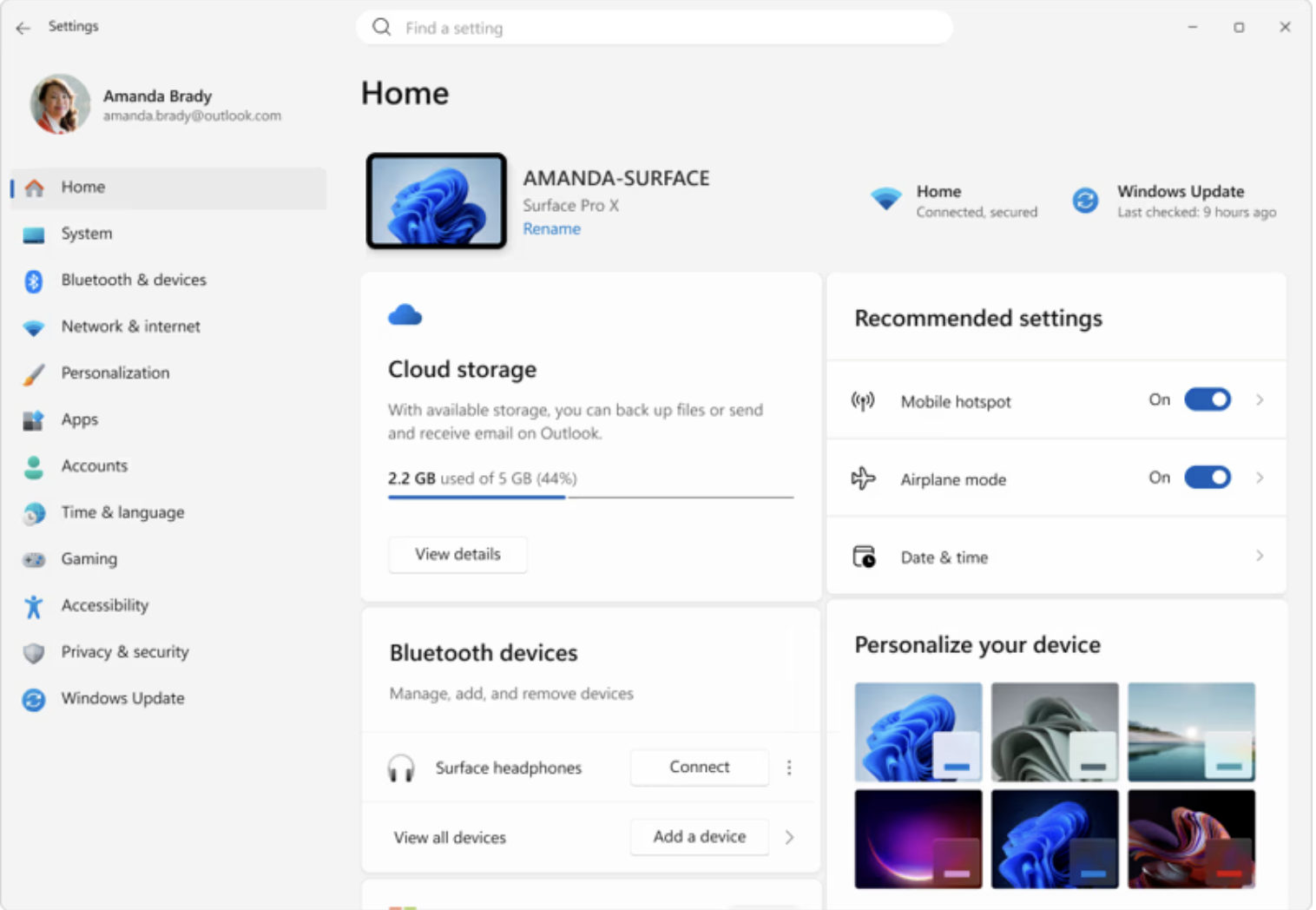
Go to Settings on your Windows Device.
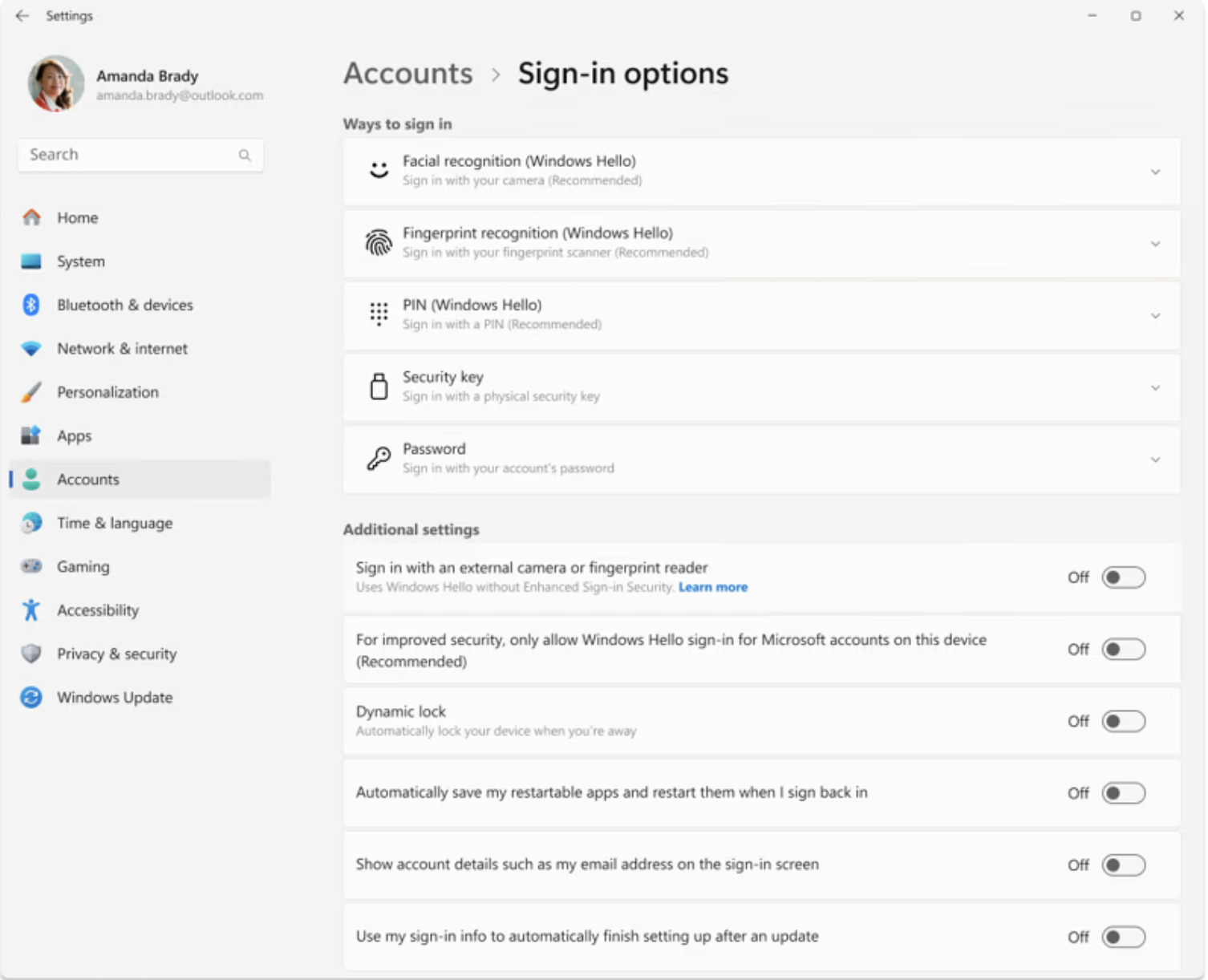
Select Accounts > Sign-in options
Show you have a secure way of logging in ie) password enabled, fingerprint enabled, etc.
Ensure your name is visible and take a screenshot
Windows - Evidence for Hardware Encryption
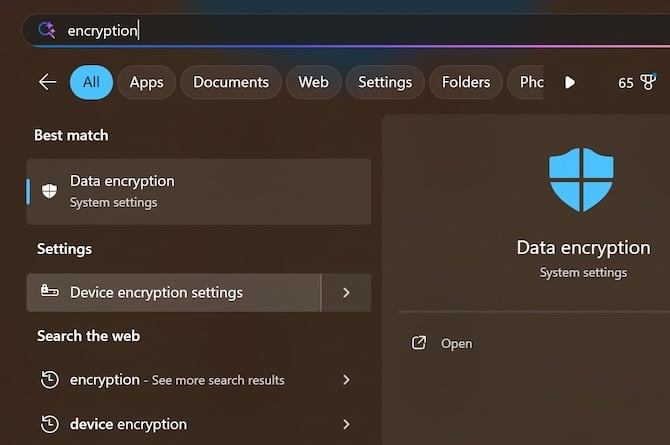
In the Settings app on your Windows device:
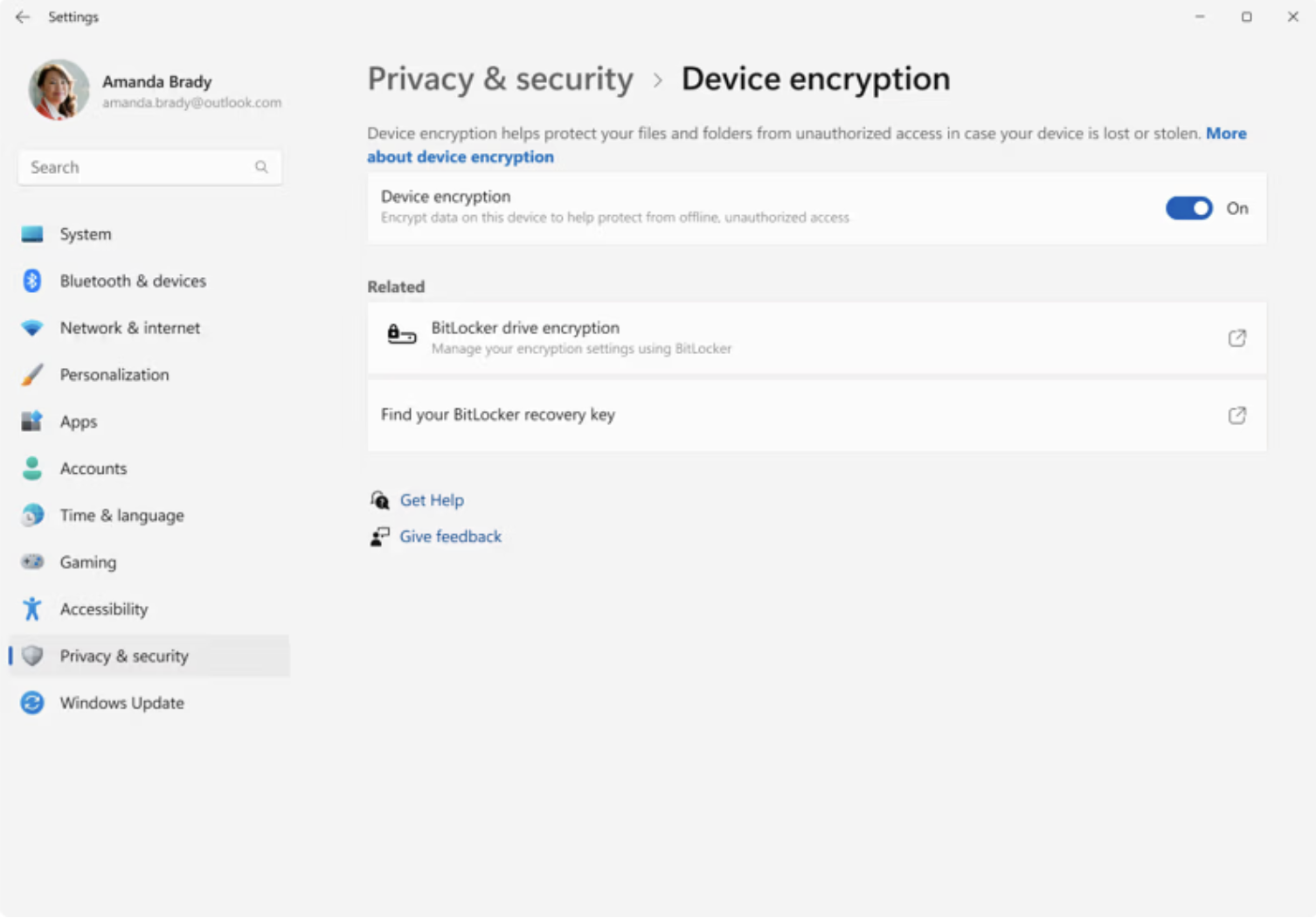
Select Privacy security > Device encryption
Turn Device Encryption On
Take a screenshot ensuring your name is visible
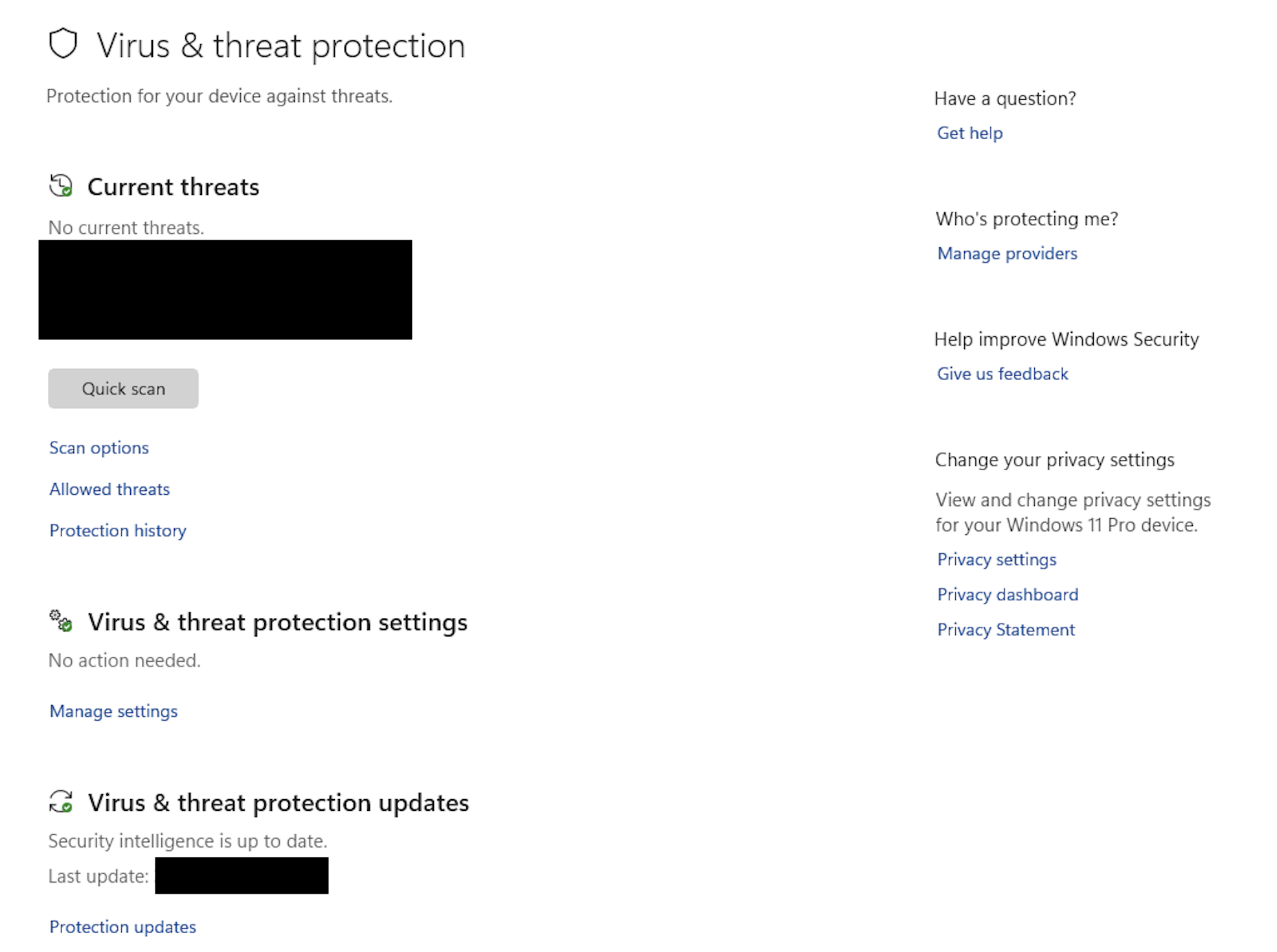
Windows - Built-In Anti-Virus Evidence
Open the Windows Security app (search "Windows Security" in the start menu).
Click on Virus & threat protection.
Ensure Real-time protection is toggled "On".
Check under Manage providers to confirm Microsoft Defender is active.
Send a screenshot ensuring your name is visible
Why Manual Collection is Necessary
While we strongly recommend enrolling in our corporate MDM for automated reporting, we recognize that privacy concerns or device ownership often lead to personal hardware remaining unmanaged. In these cases, manual evidence collection is the only way to:
Validate Encryption: Ensure BitLocker (Windows) is active.
Confirm Patching: Verify the OS version is up to date against known exploits.
Verify Access Control: Document that screen locks and complex passwords are enforced.
Visit our article for Mac Devices: Evidence for Secure Mac Devices (no MDM Solution)