Navigate a computer’s detail view
Last updated: March 19, 2026
Open any computer to see its detail view.
Overview
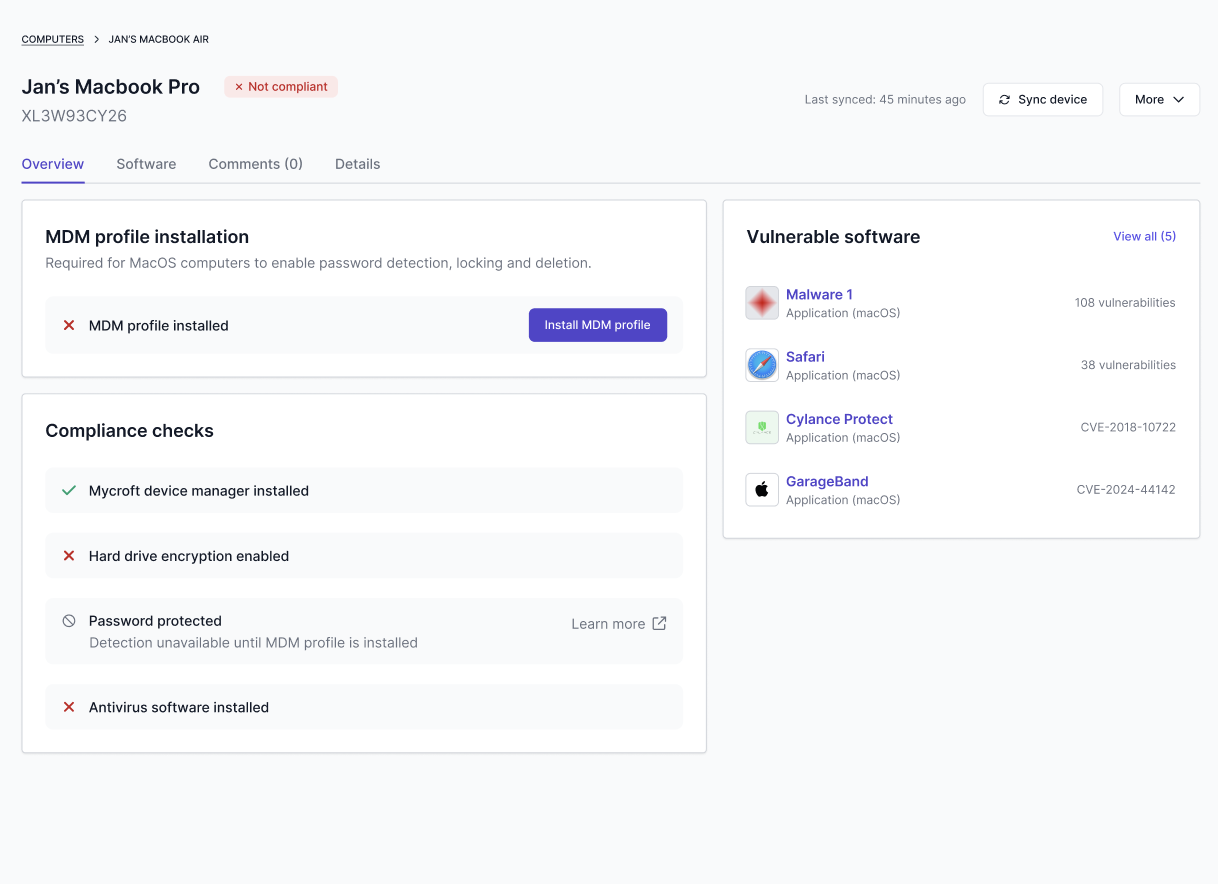
The Overview tab highlights key posture and risk indicators, such as:
Compliance checks (encryption, password protection, antivirus)
Device Manager installation status
MDM profile status (macOS only)
Vulnerable software (when available)
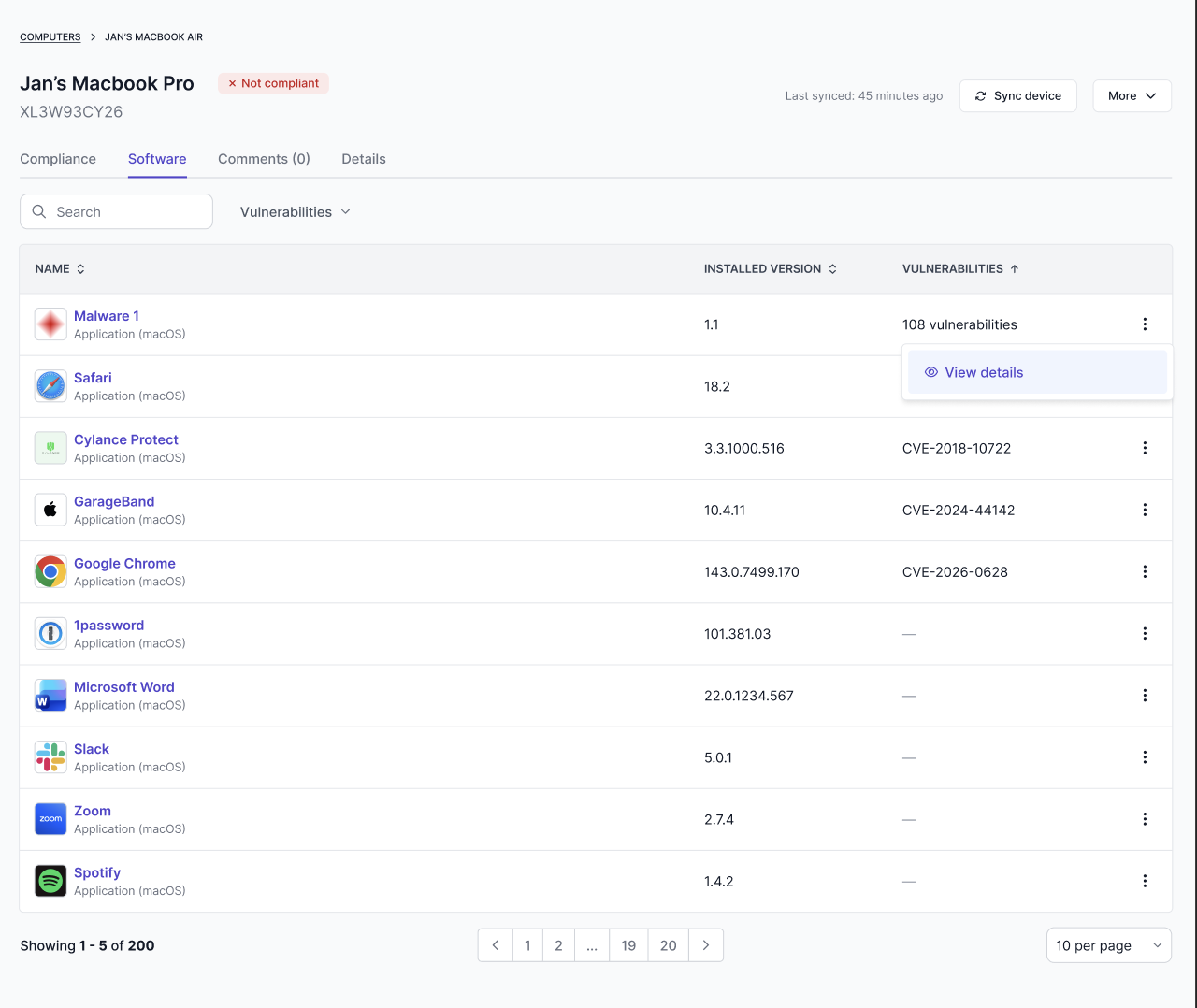
Software (installed software and vulnerability insights)
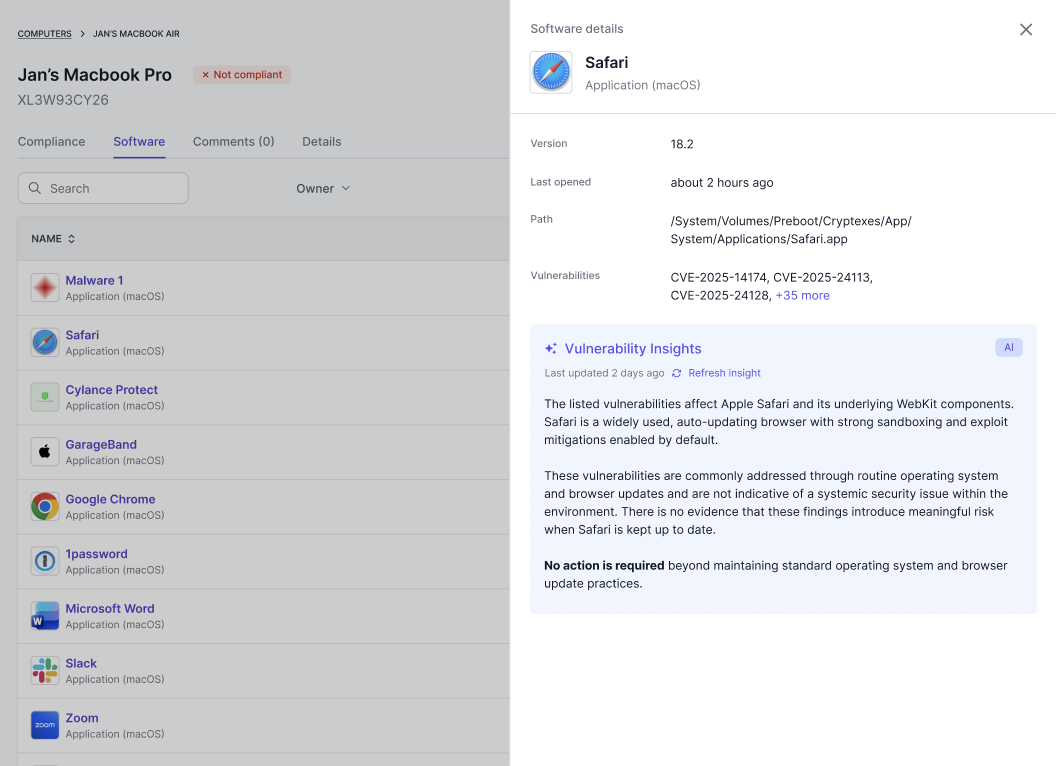
The Software tab lists installed software. When vulnerabilities are detected, Mycroft may show:
Related CVEs
A short insight indicating whether action is recommended
A way to refresh software and vulnerability data
Comments
Use the Comments tab to leave notes on a device record.
Details
Use the Details tab for technical device attributes, such as:
Serial number
Owner
MDM profile installation
Operating system
Disk space, RAM, CPU