How to Select Specific Employees for MDM Installation
Last updated: April 21, 2026
Not everyone in your organization needs the Mycroft Device Manager installed. Maybe you have advisors who don't carry company laptops, or contractors who use their own devices. Here's how to set it up so only the right people get the task.
Step-by-Step Guide
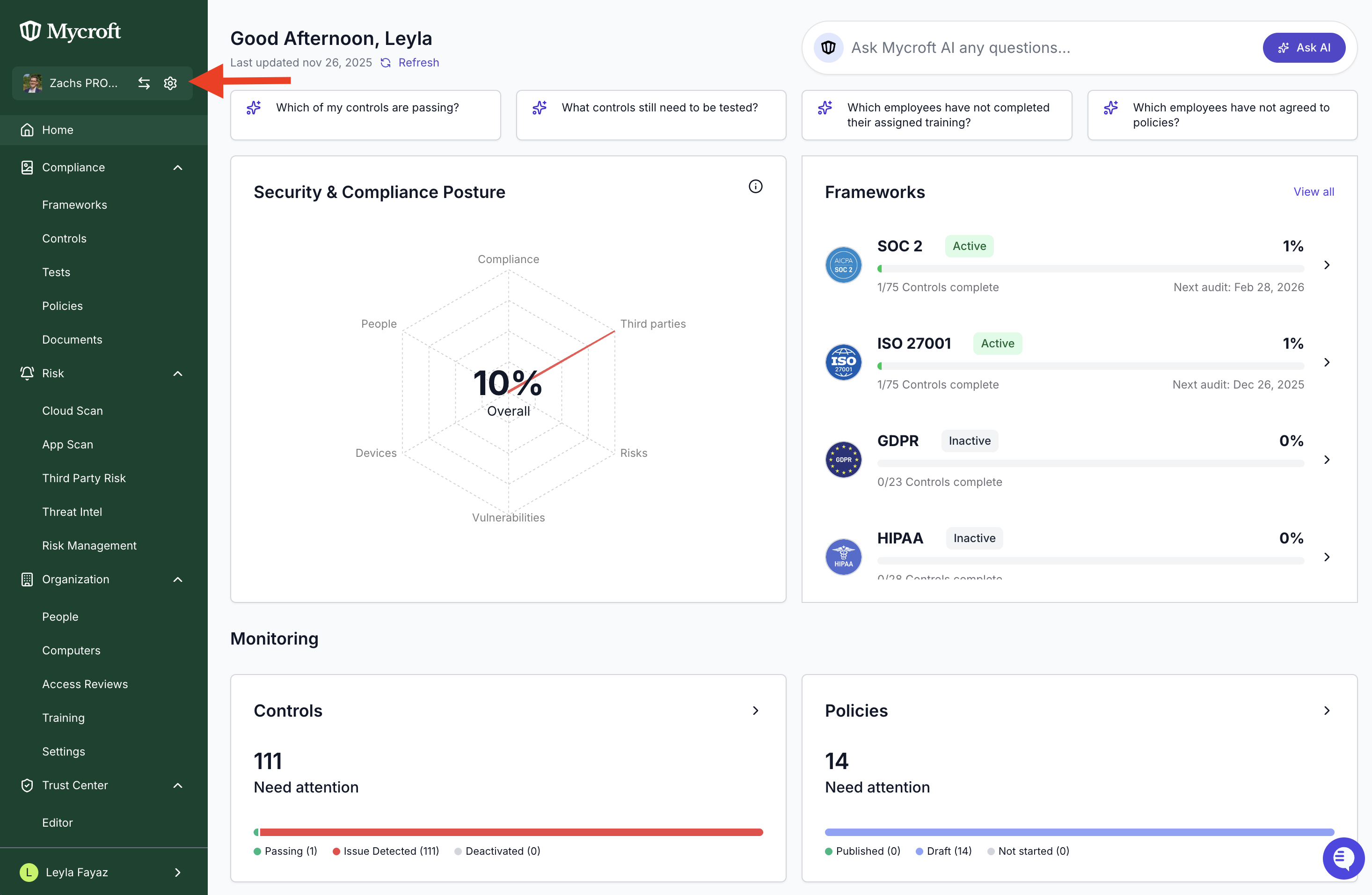
In Mycroft, click the gear icon next to your company name
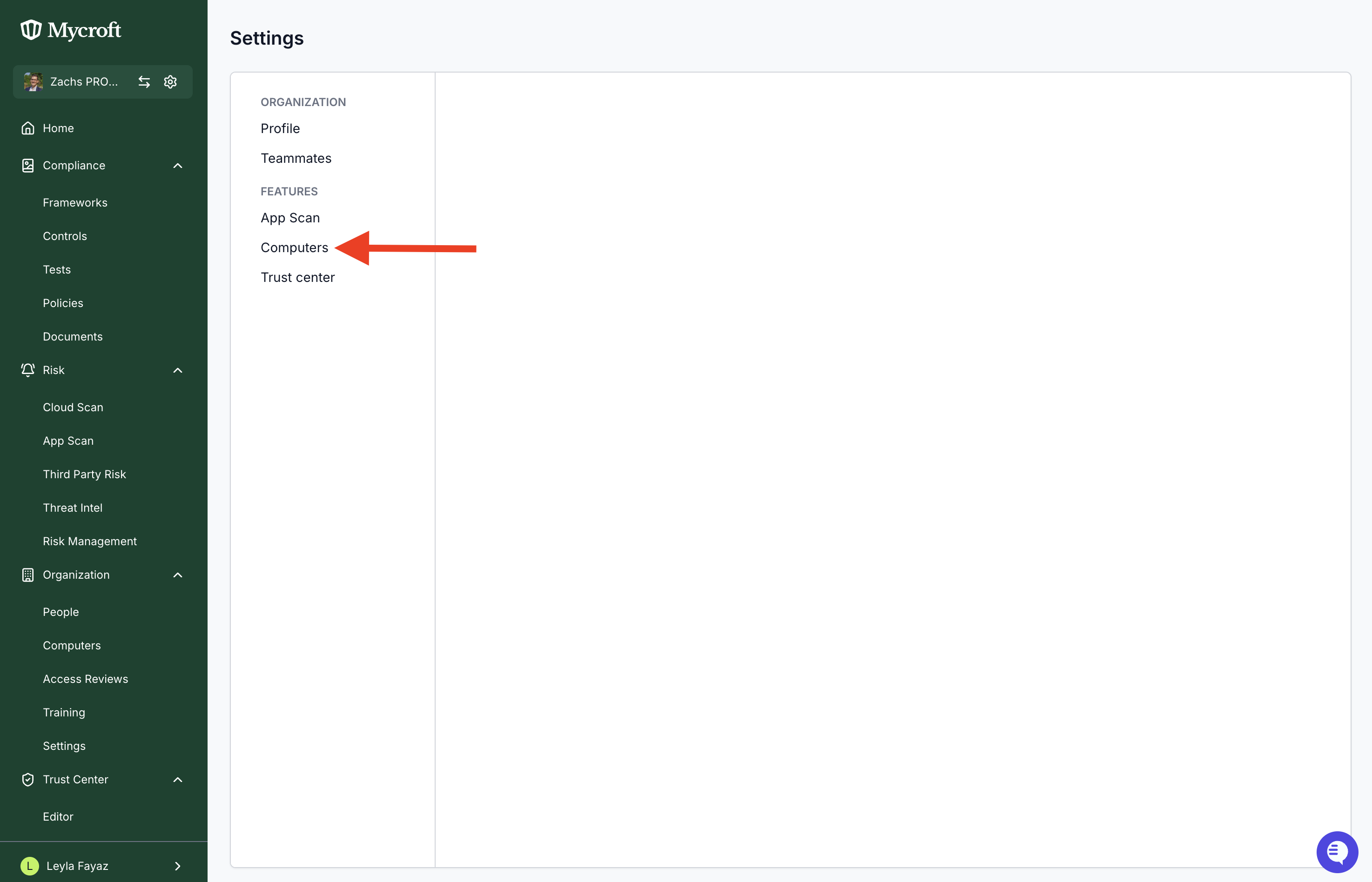
Navigate to Computers
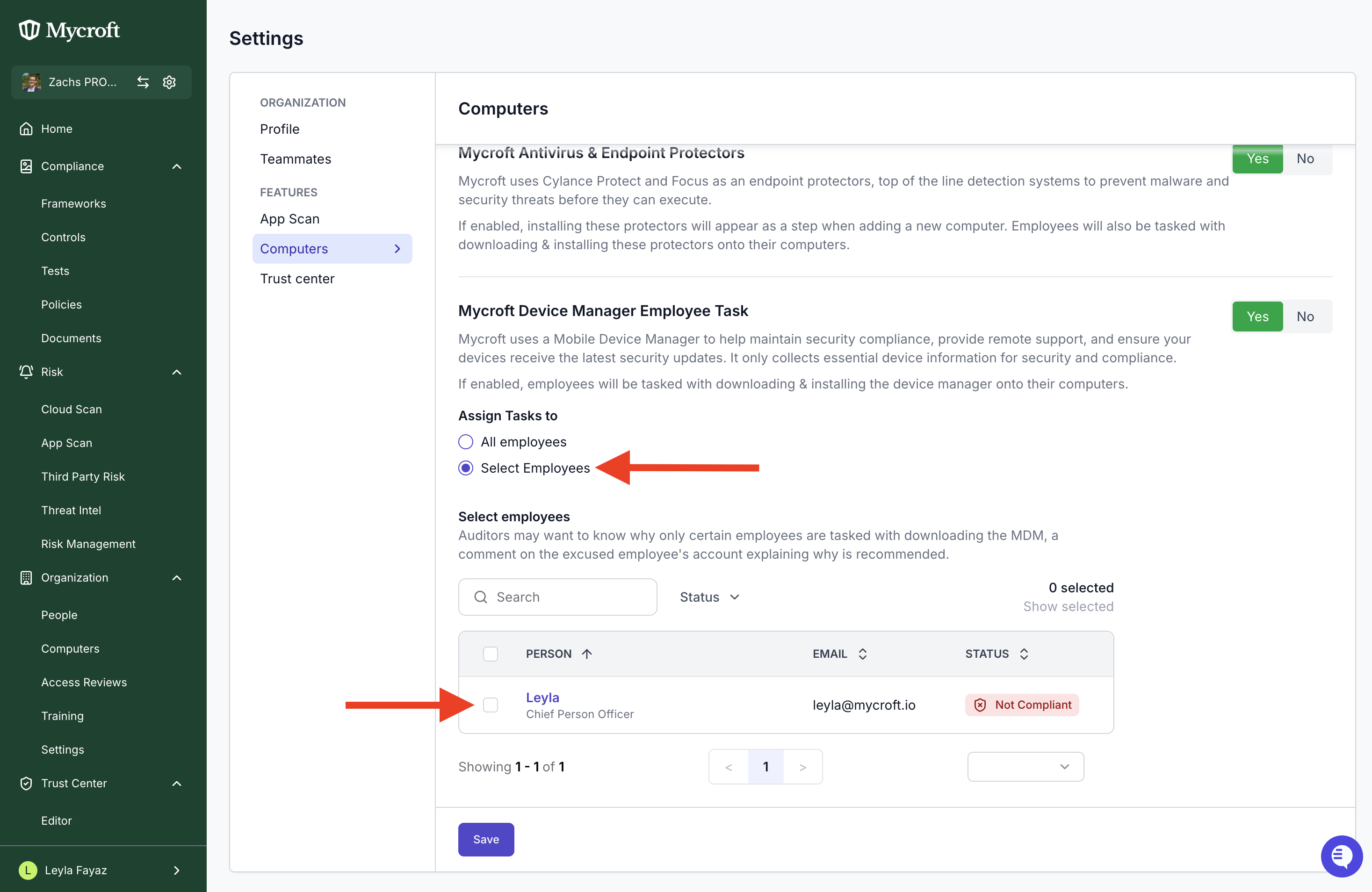
Under "Mycroft Device Manager Employee Task," select "Select Employees" instead of "All employees" and choose who gets the MDM task. Make sure to save before closing.
Why Do This?
The Device Manager is typically used for devices that your company manages/owns or for devices that are accessing company data. If an employee doesn't have a company-issued laptop, or are not accessing sensitive company data, there is often times concerns about having an MDM installed. Should that be the case, there are work arounds for evidence that can be collected for devices that don't have MDM.
Visit our article here: How to collect evidence for Mac devices not using MDM