Adding a Risk to the Risk Register
Last updated: November 20, 2025
This document provides a structured process to effectively manage and assess risks within a project. Follow the steps to add, update, and evaluate risks using the available tools and resources.
Accessing the Risk Management Section
Navigate to the Risk Management section to identify and categorize the risk.
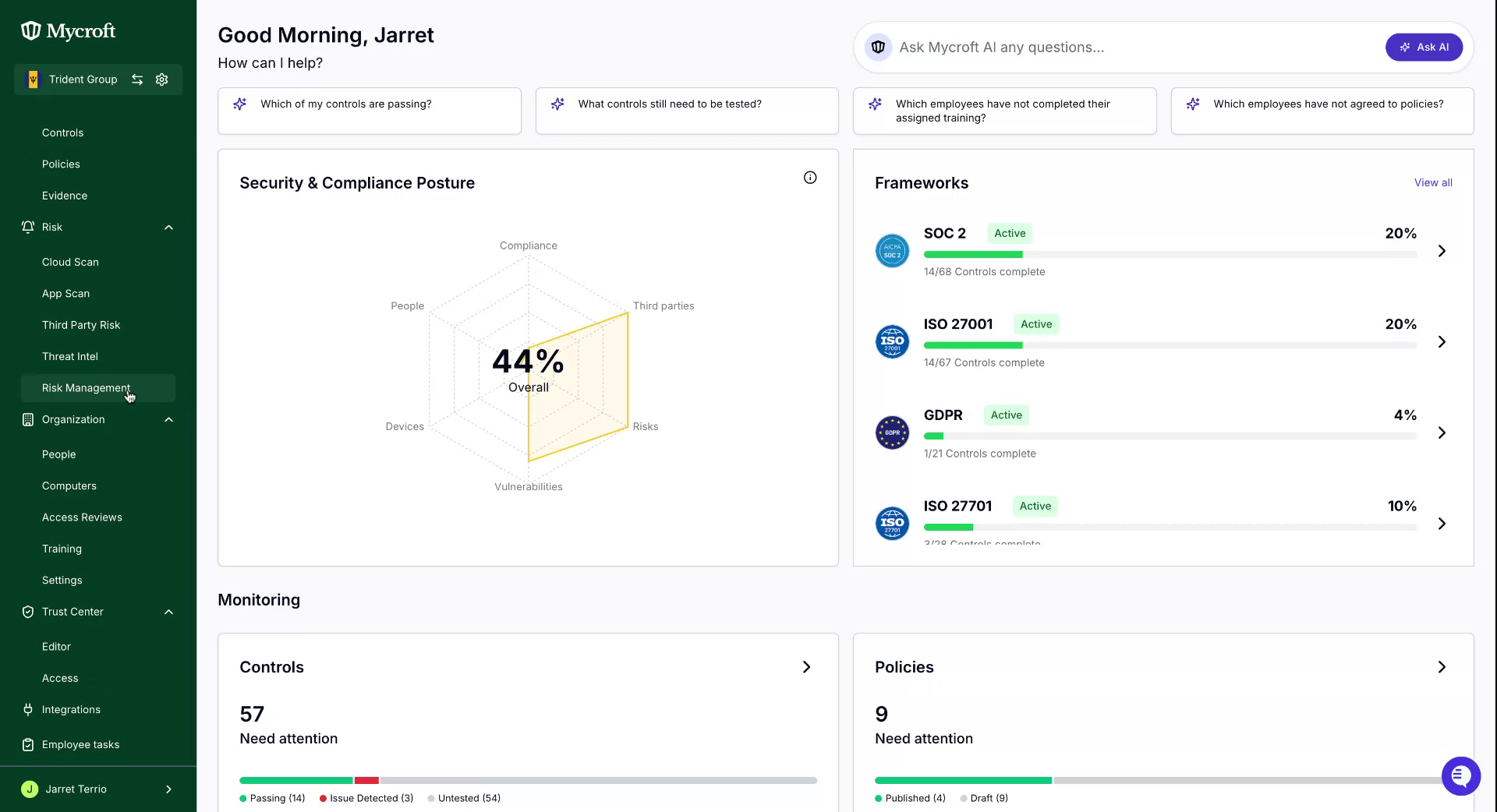
Adding a Risk Using the Risk Library
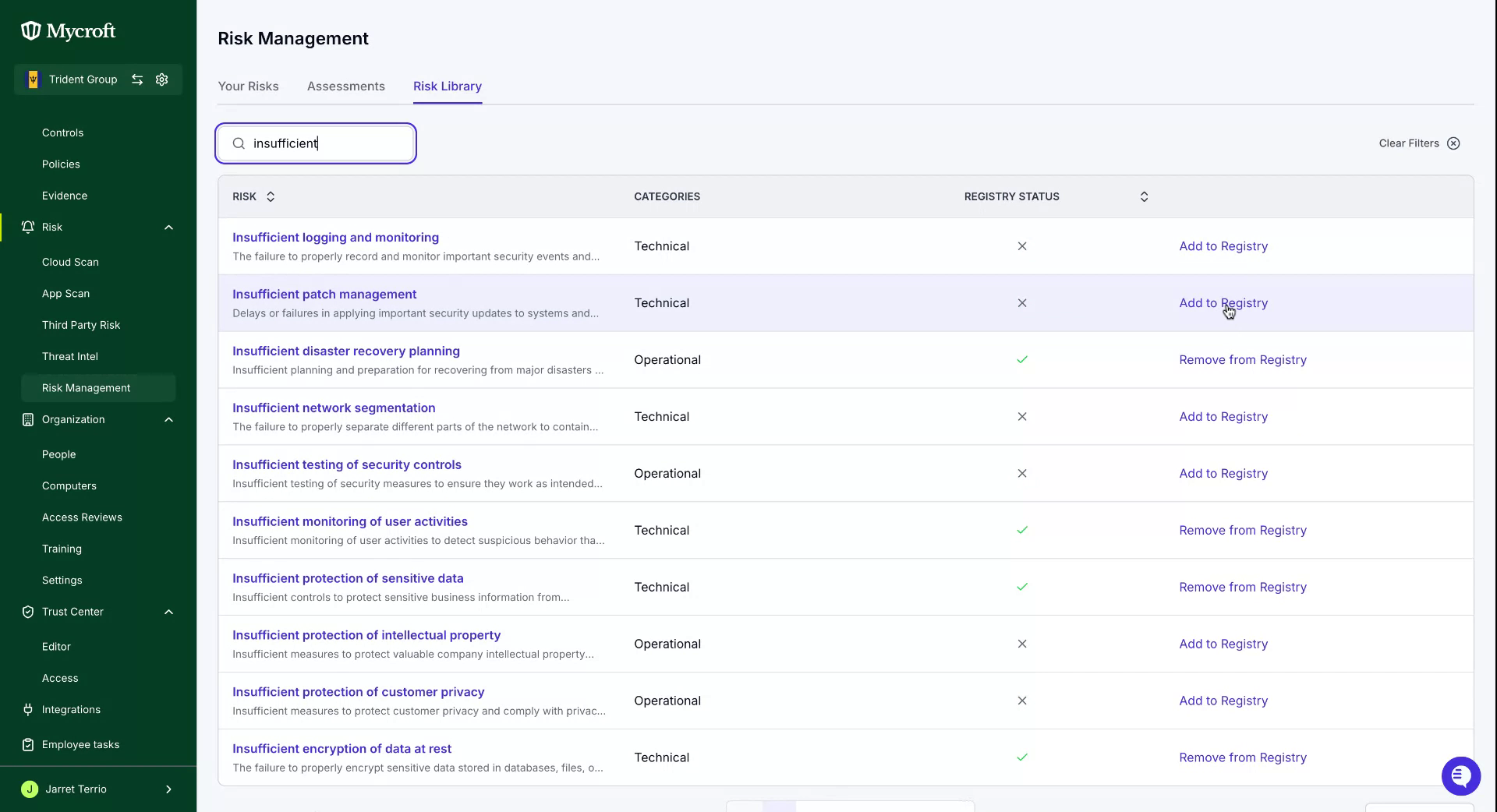
To add pre-defined risks to your register, access the risk library through the navigation bar.
Utilize the search bar to explore the risk library. Add the desired risk by clicking the "Add to Registry" button on the right.
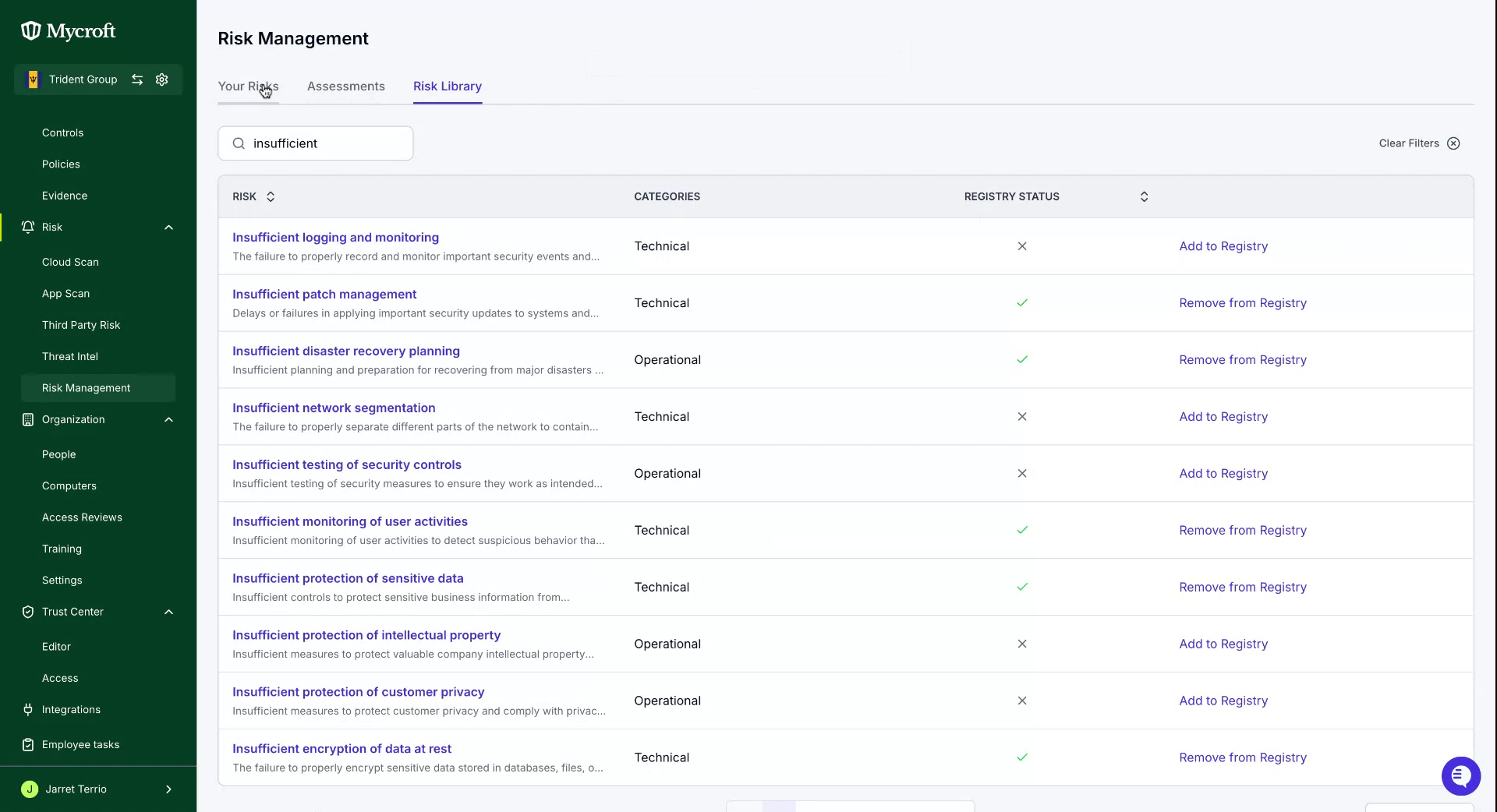
Upon successfully adding a risk, a confirmation message will appear at the top. Return to the risk section to review the assessment and newly added risks.
Adding a Risk Manually
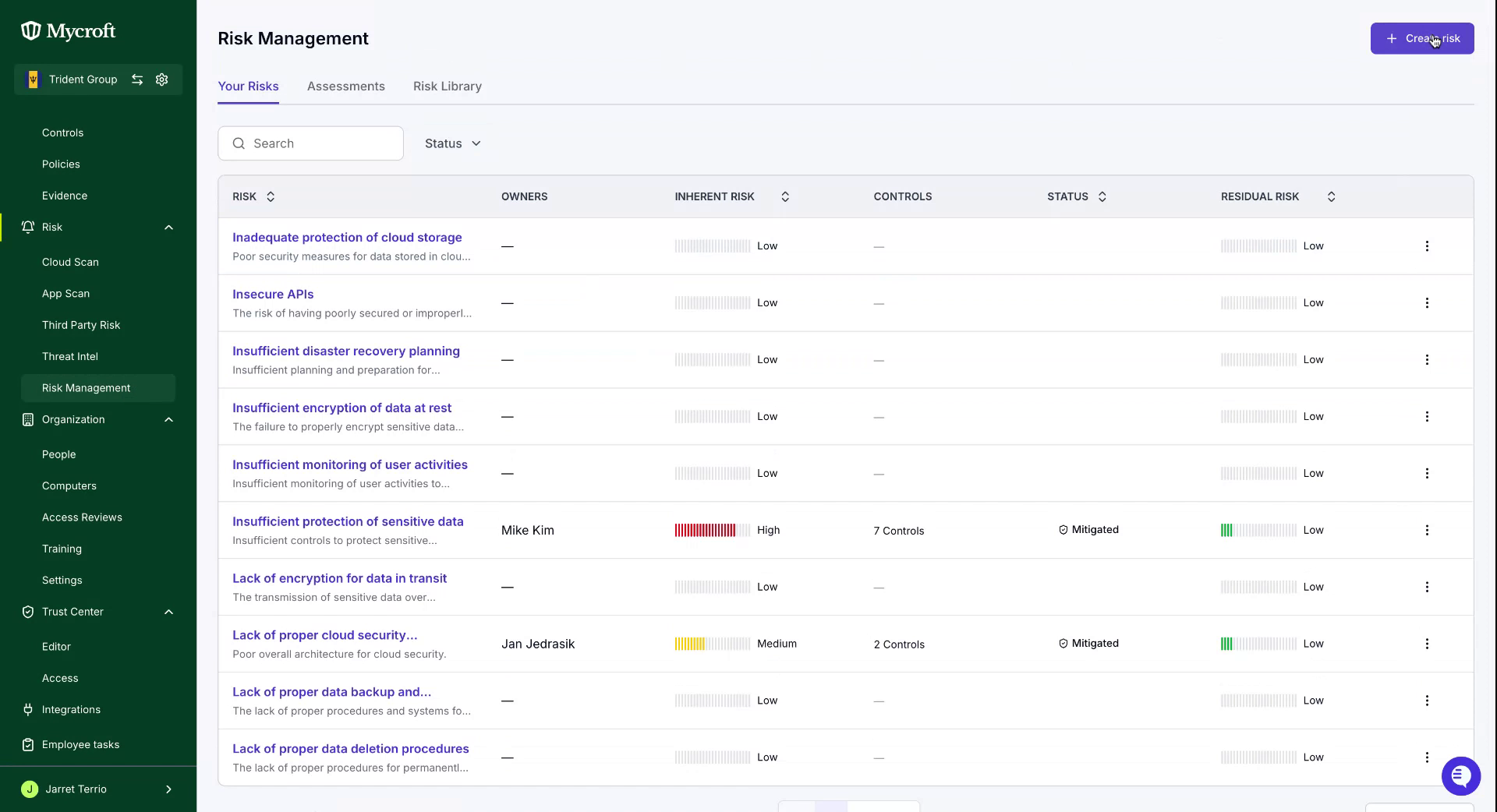
If a risk is not within the provided library, you can also create a custom entry using the blue "Create Risk" button in the top right of the "Your Risks" page.
Risk Details
To assess a risk, update its details by right-clicking the entry or using the kebab selector.
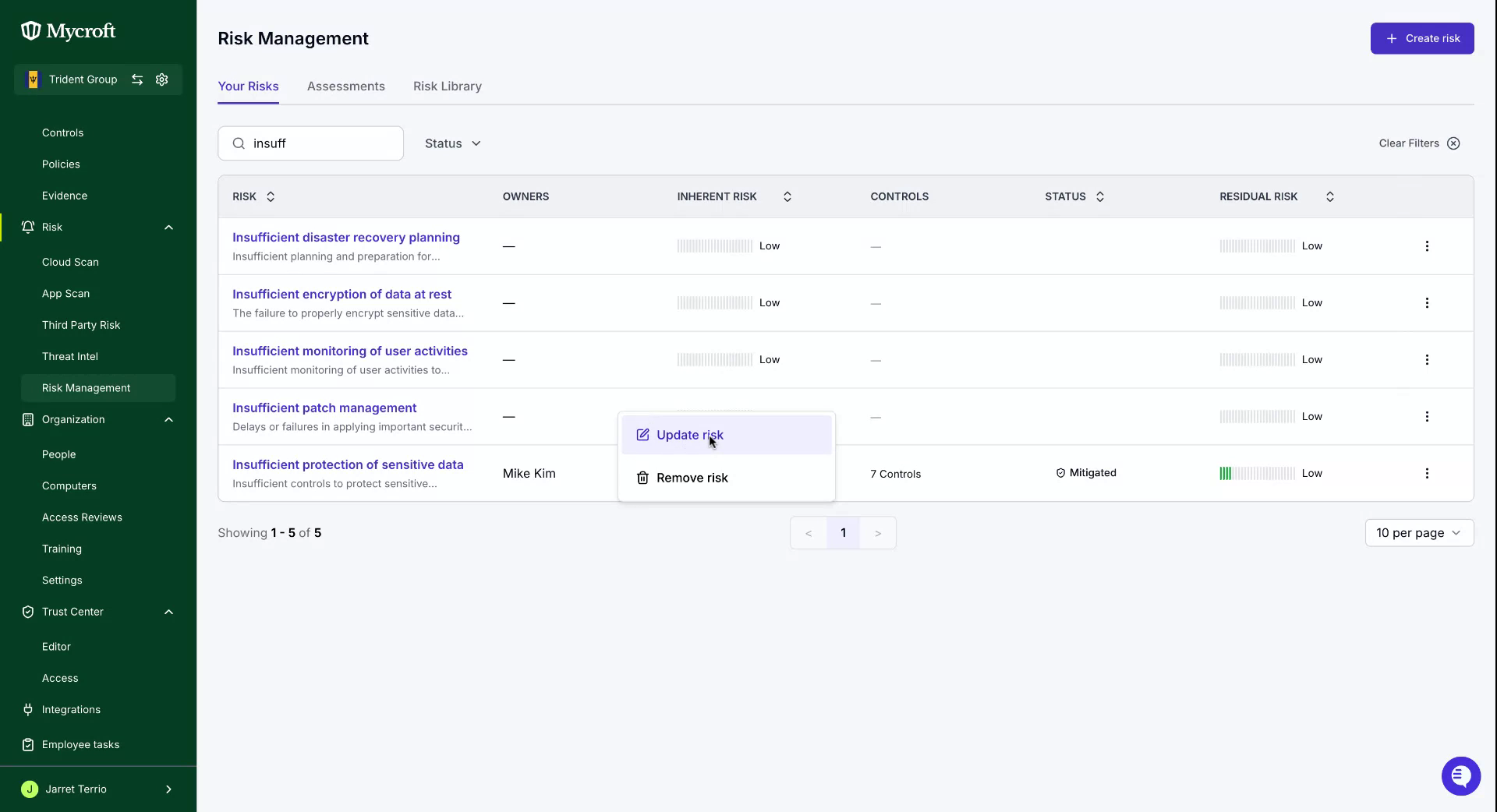
In this view, provide various details such as..
The Risk Owner - 📄 Responsibilities of a Risk Owner
The Risk Category - 📄 Risk Categories
Inherent Risk Score - 📄 Inherent and Residual Risk Score
Risk Status - 📄 Understanding Risk Status
Residual Risk Score - 📄 Inherent and Residual Risk Score
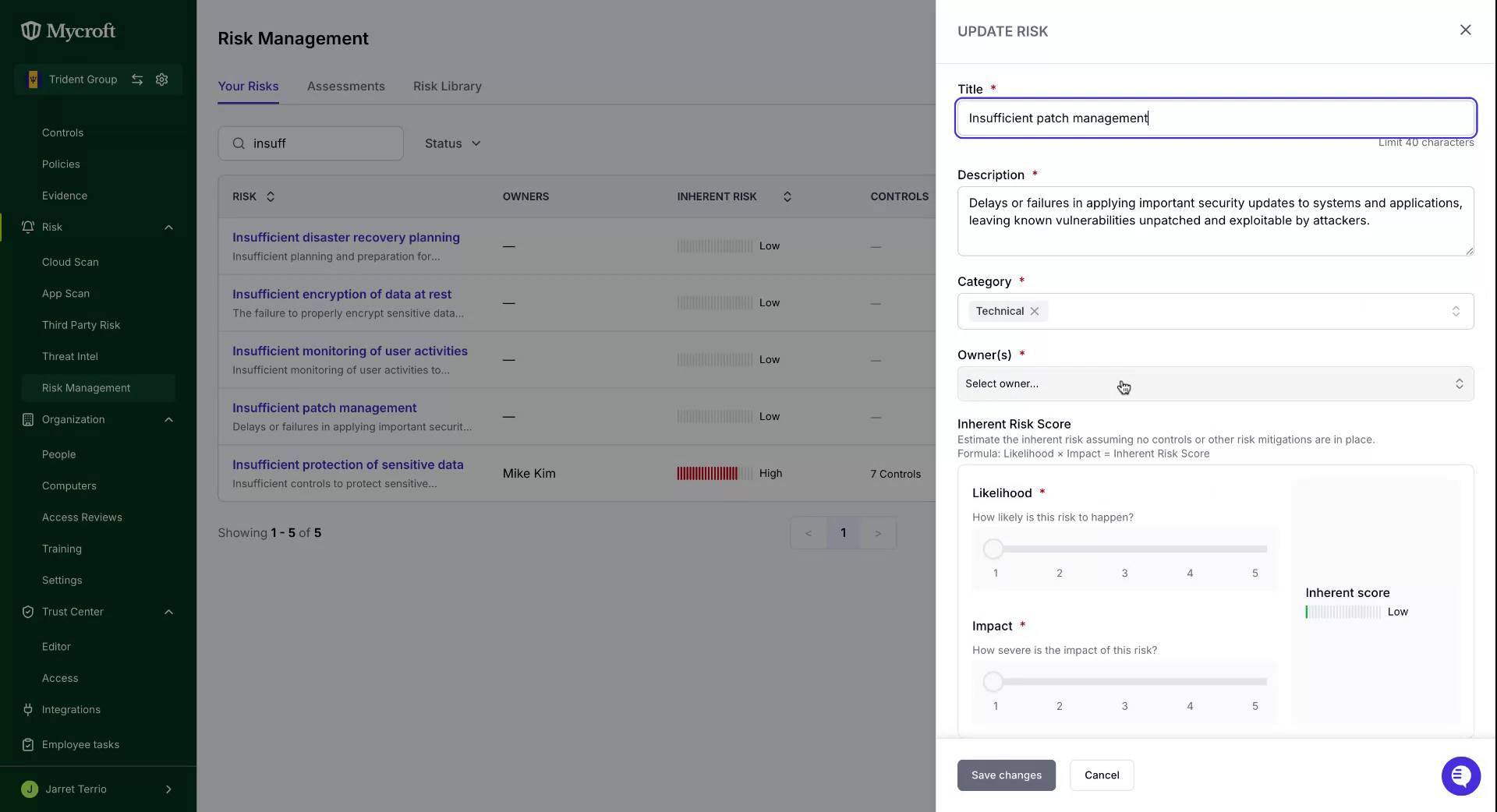
Once all details are entered, save the changes using the button at the bottom left.
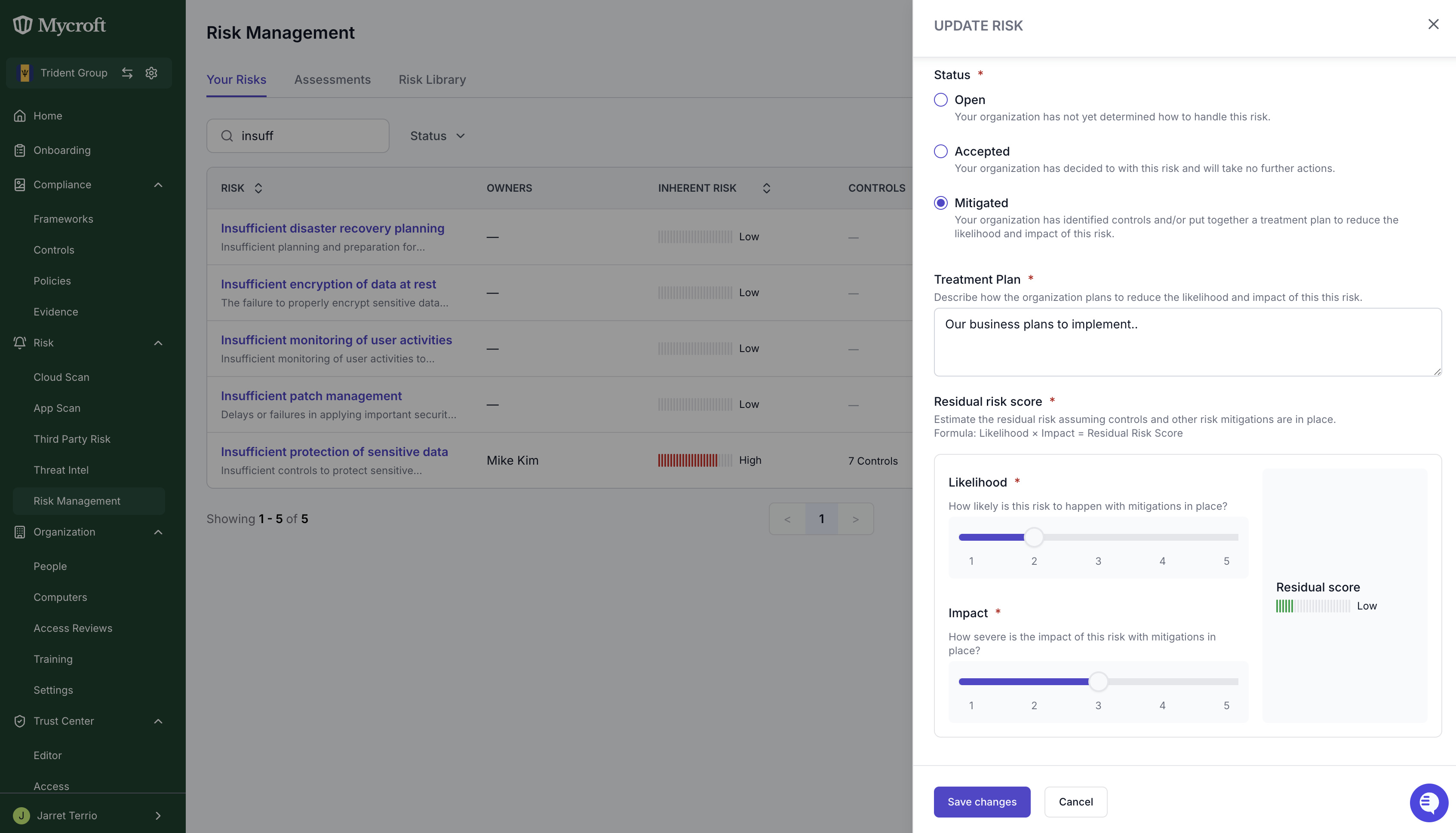
This process will update the risk with the information required for the assessment.