How to Reinstall the Mycroft MDM Profile on macOS (Required for Lock & Delete)
Last updated: March 19, 2026
Some Mac users may be running an older version of the Mycroft device agent and MDM profile.
To access Mycroft’s full macOS security features, particularly Lock & Unlock and Delete, you’ll need to install the updated MDM profile.
🔍 How to check if you’re on the older version
On your Mac:
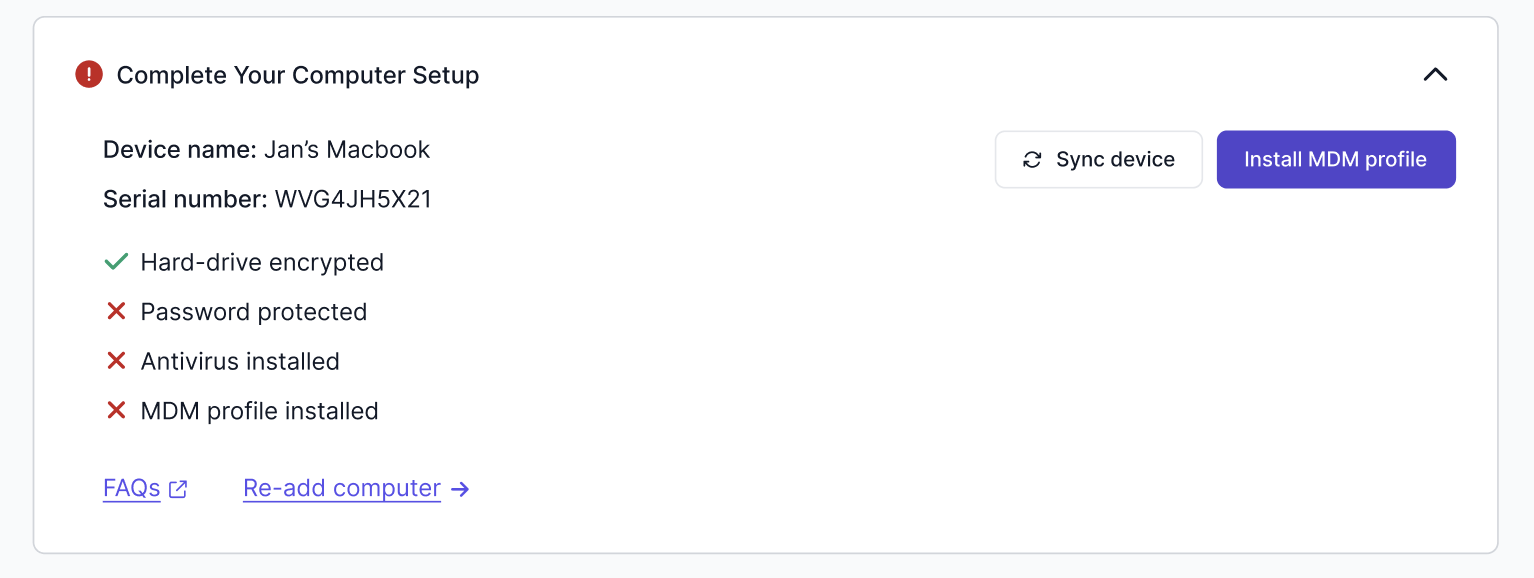
Go to employee tasks, and open up the Complete Your Computer Setup task at the bottom
If you see an option to Install MDM, your device is using the older installer or is not enrolled in the new MDM.
How to delete MDM profile
If the MDM profile has already been downloaded but needs to be updated:
Open System Settings → Profiles.
Remove the old profile named Mycroft Enrollment.