Install the MDM profile
Last updated: March 19, 2026
Go to employee tasks and click Install MDM profile.
This can also be done by an administrator logged in within an employee’s device. This cannot be done remotely.
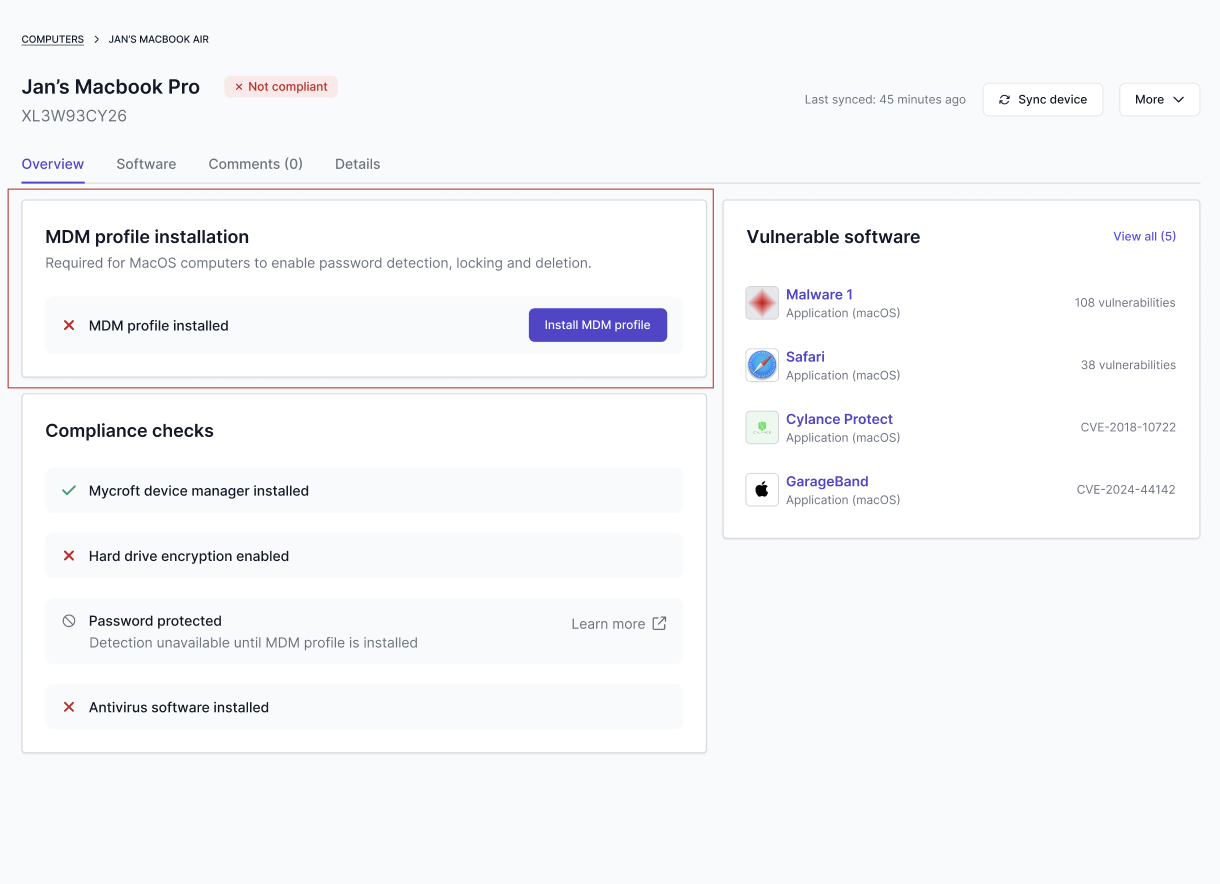
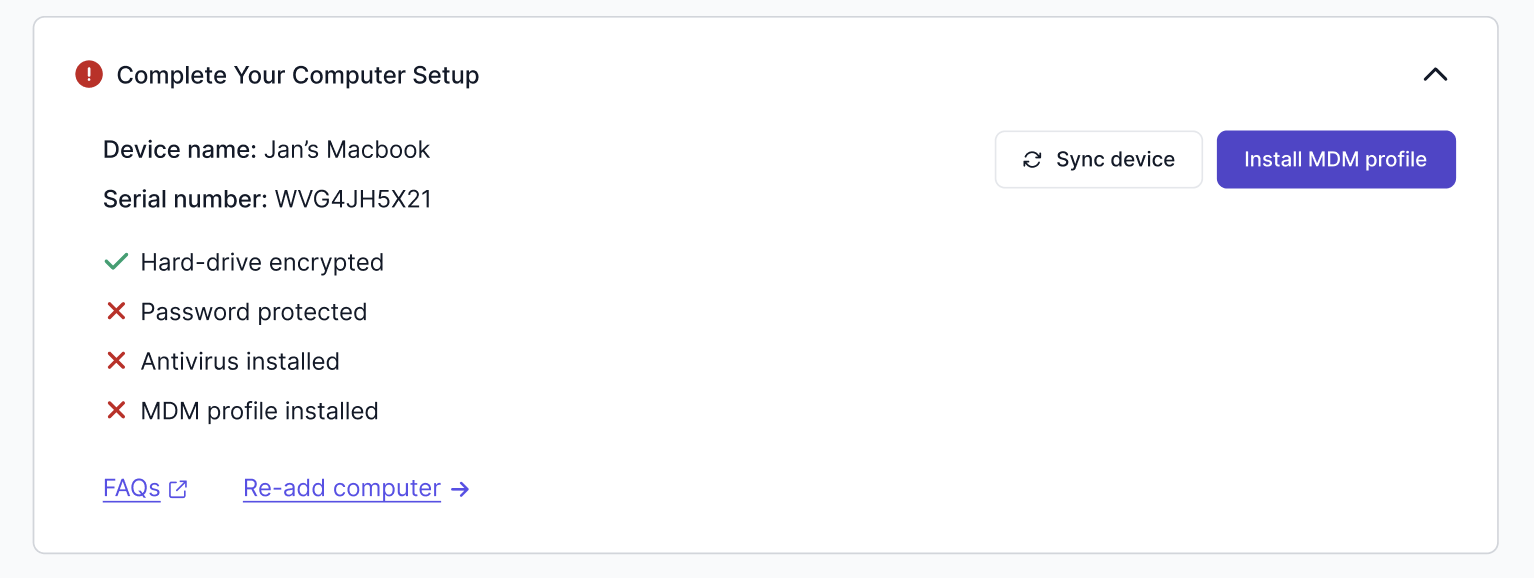
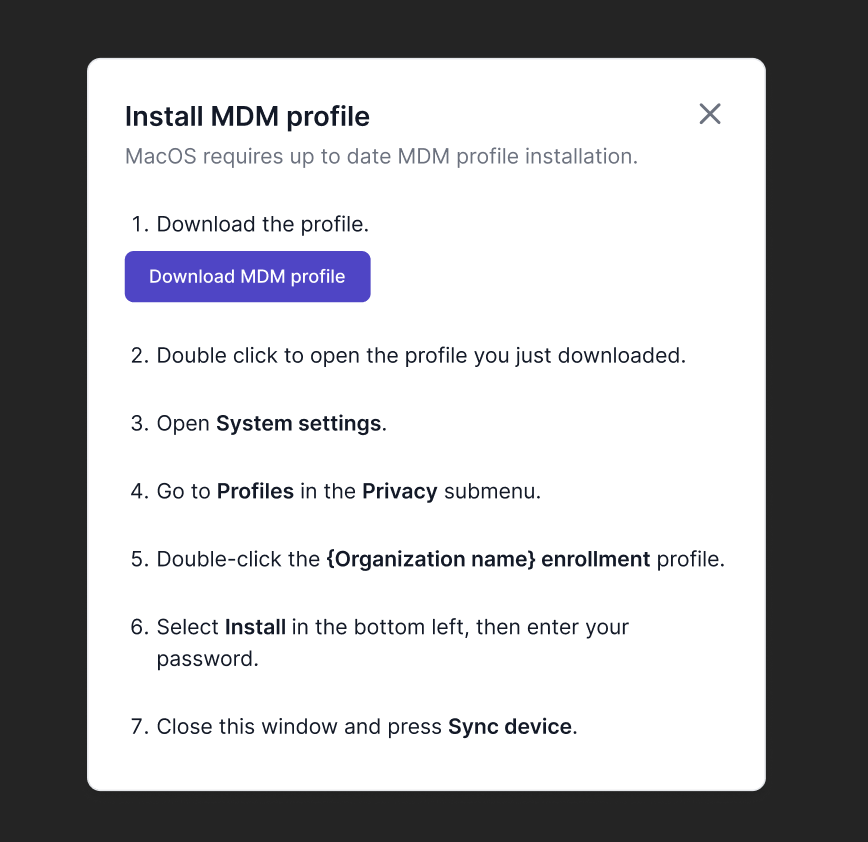
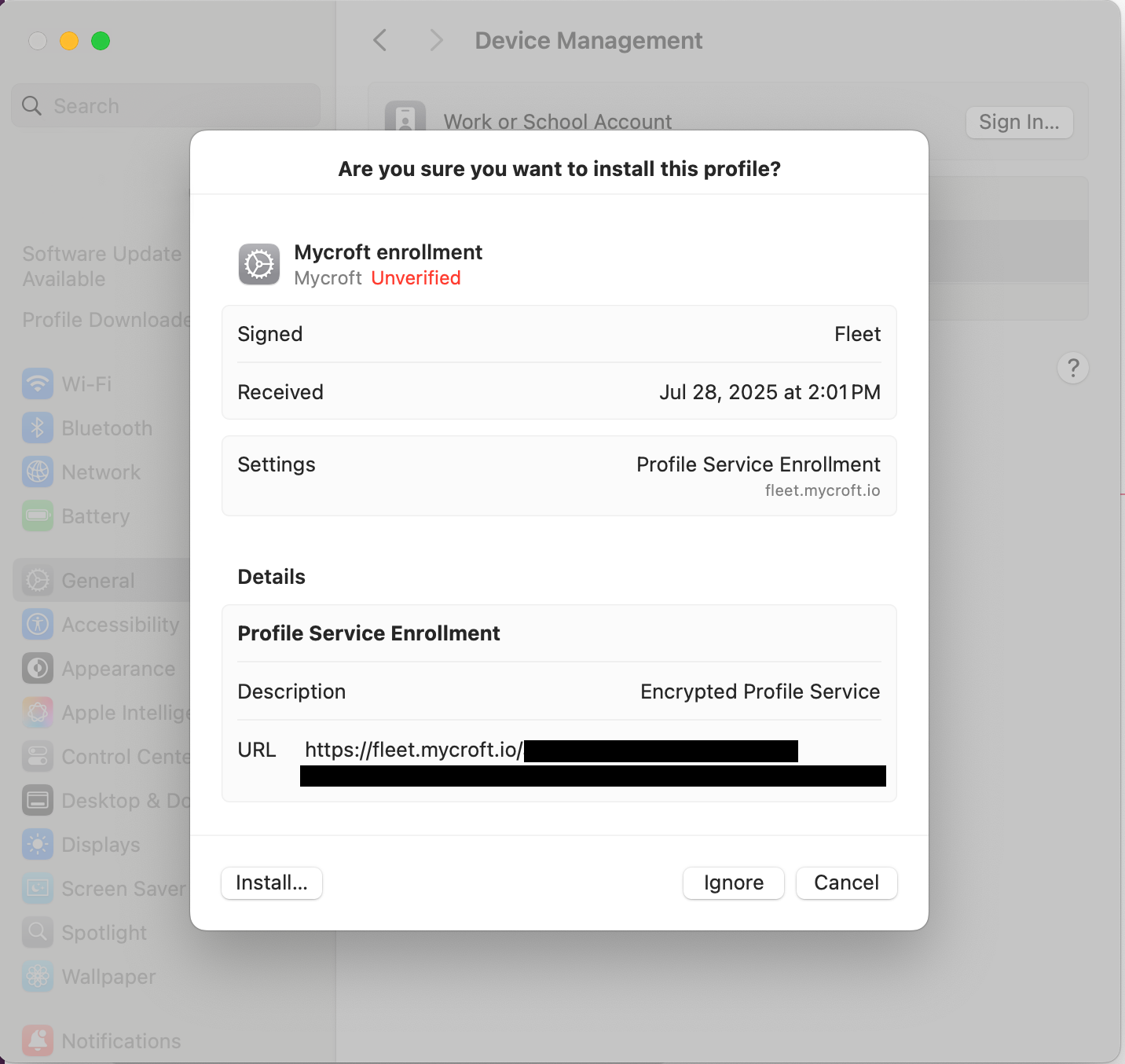
Follow the steps shown in the modal.
✔ How to confirm it worked
In Mycroft → Computers:
Your device should now have the Mycroft Shield icon, not the dotted Fleet icon. You should see Mycroft Desktop and About Mycroft.
Lock, unlock and delete actions become available.
If the Mycroft Shield does not appear after re-syncing devices, reach out to Mycroft Support.