MDM profile installation status (macOS)
Last updated: March 19, 2026
Some management capabilities on macOS require an additional MDM profile installation.
Where you will see MDM profile status
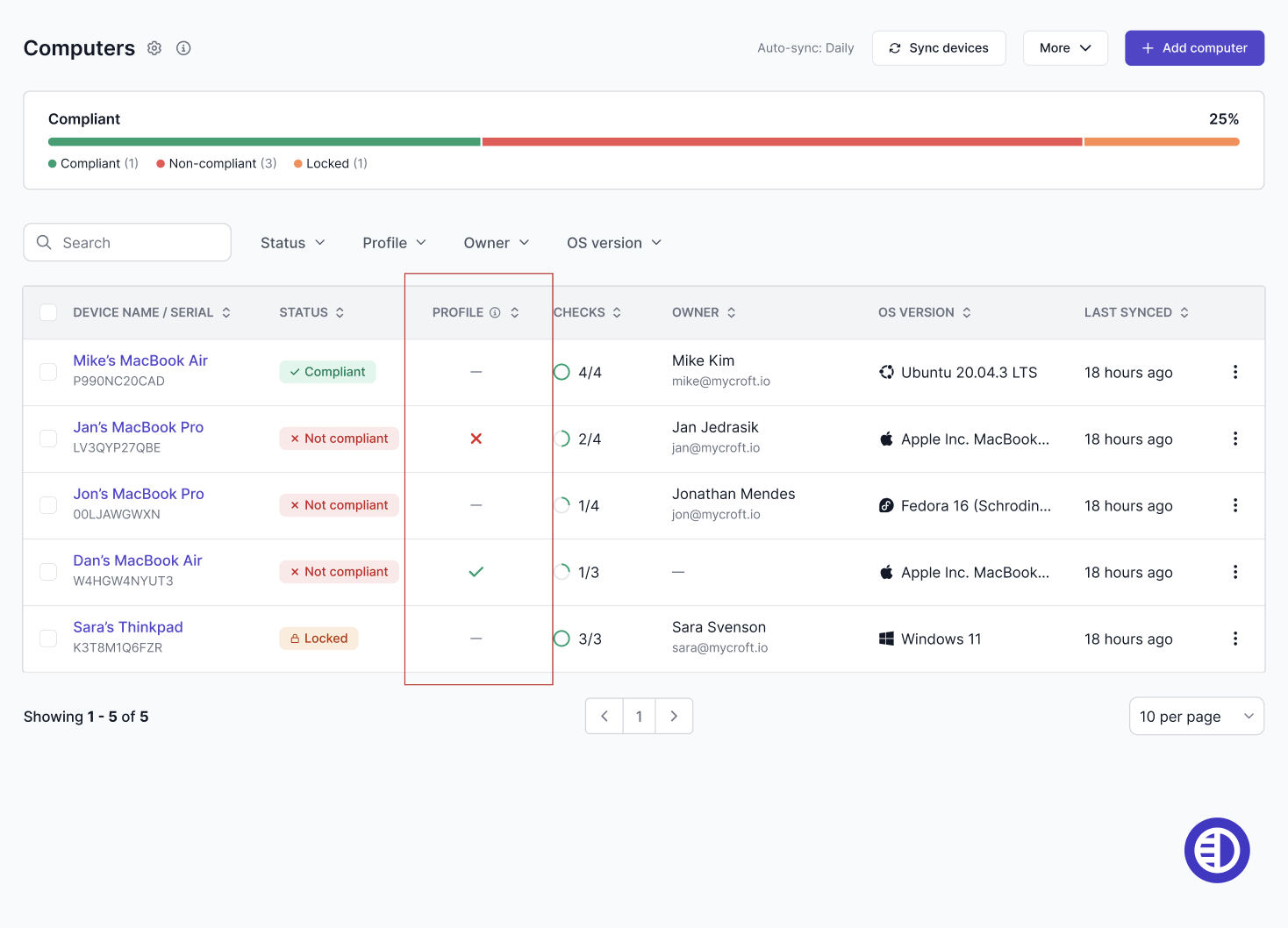
In the Computers list, macOS devices show an MDM profile status:
✅ Installed
✕ Not installed or not detected
— Not applicable (non-macOS)
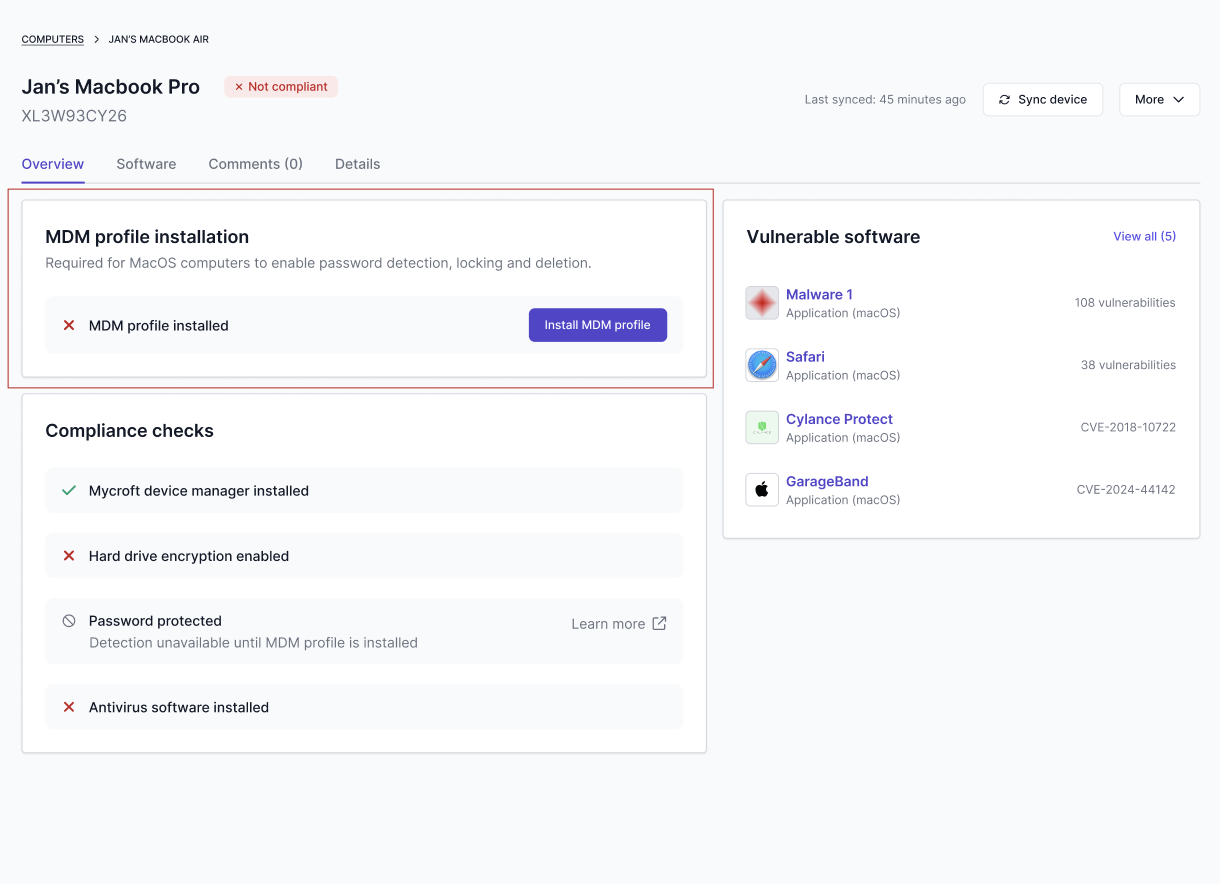
In a macOS computer’s detail view, you will also see an MDM profile card.
Why it matters
If a macOS computer does not have the MDM profile installed:
Password protection detection may be unavailable
Lock computer may be unavailable
Delete computer may be unavailable
Important limitation (on-device requirement)
MDM profile installation must be completed directly on the target device. An admin cannot install the MDM profile remotely from another machine.