Scanning your Cloud Platform for Vulnerabilities
Last updated: May 31, 2025
Scanning your cloud platforms in Mycroft detects vulnerabilities across your cloud infrastructure.
This feature identifies security risks, misconfigurations, or compliance gaps—allowing teams to take quick action and strengthen overall cloud security and compliance posture.
Steps to Run a Cloud Scan
Navigate to the left sidebar menu and click on
Cloud Scan.From the available cloud service providers, select the relevant platform (e.g., AWS)
Click the
Rescanbutton to initiate a vulnerability scan for your cloud services.
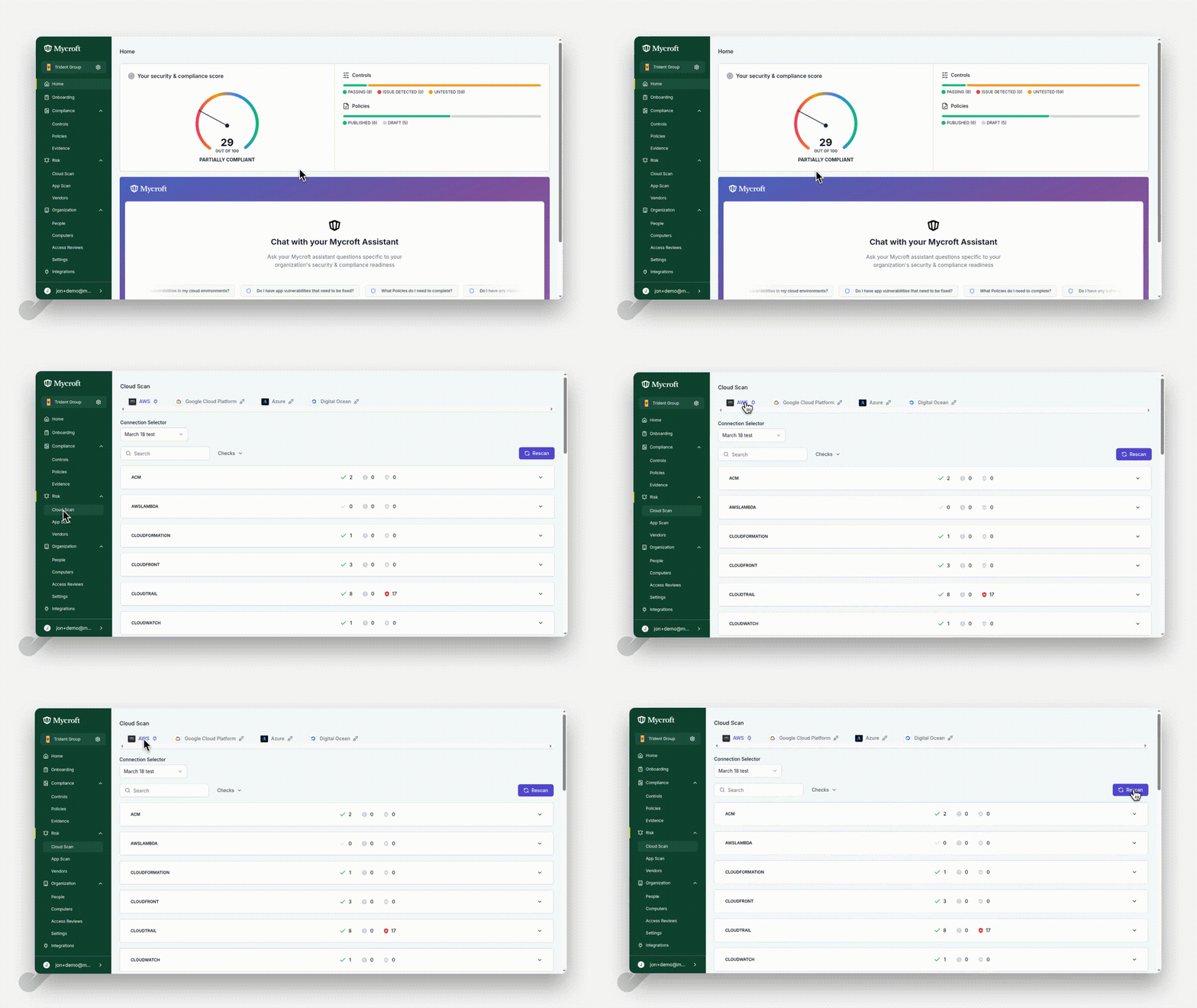
The system will begin scanning your cloud environment for potential security vulnerabilities. The scan duration depends on the size and complexity of your cloud infrastructure.