Adding a new Third Party
Last updated: November 24, 2025
Adding a vendor in Mycroft allows companies to link third-party services or partners to specific applications for better visibility and oversight. It helps track vendor relationships, streamline risk assessments, and ensure compliance with regulatory requirements.
This document provides a detailed overview of the process to add a new third party in Mycroft. The steps ensure that all necessary information is accurately captured for effective third-party risk management.
Step 1
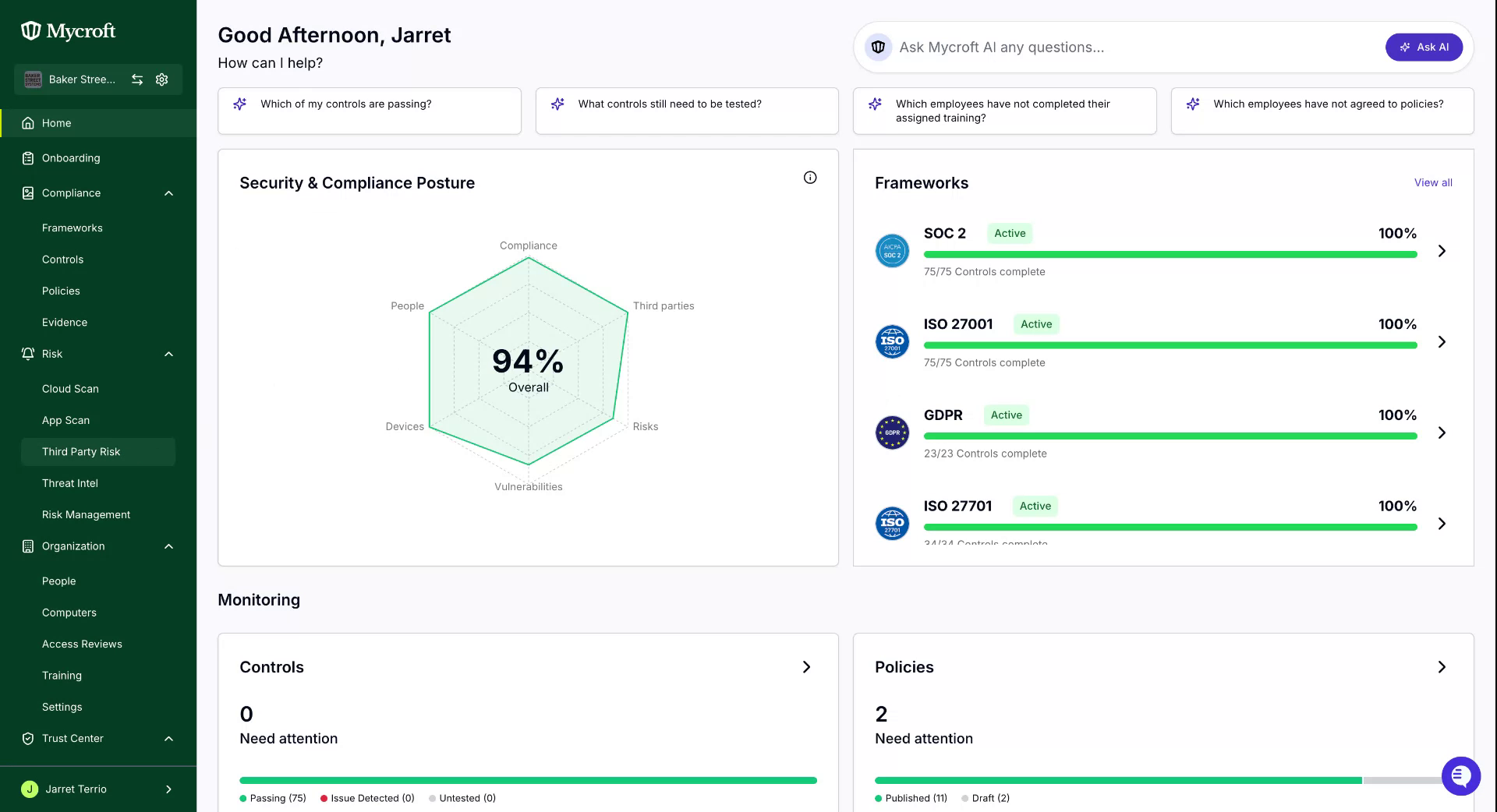
Navigate to the main dashboard.
Locate and click on the
Third Party Riskoption in the navigation menu.
Step 2
To start the third-party creation process:
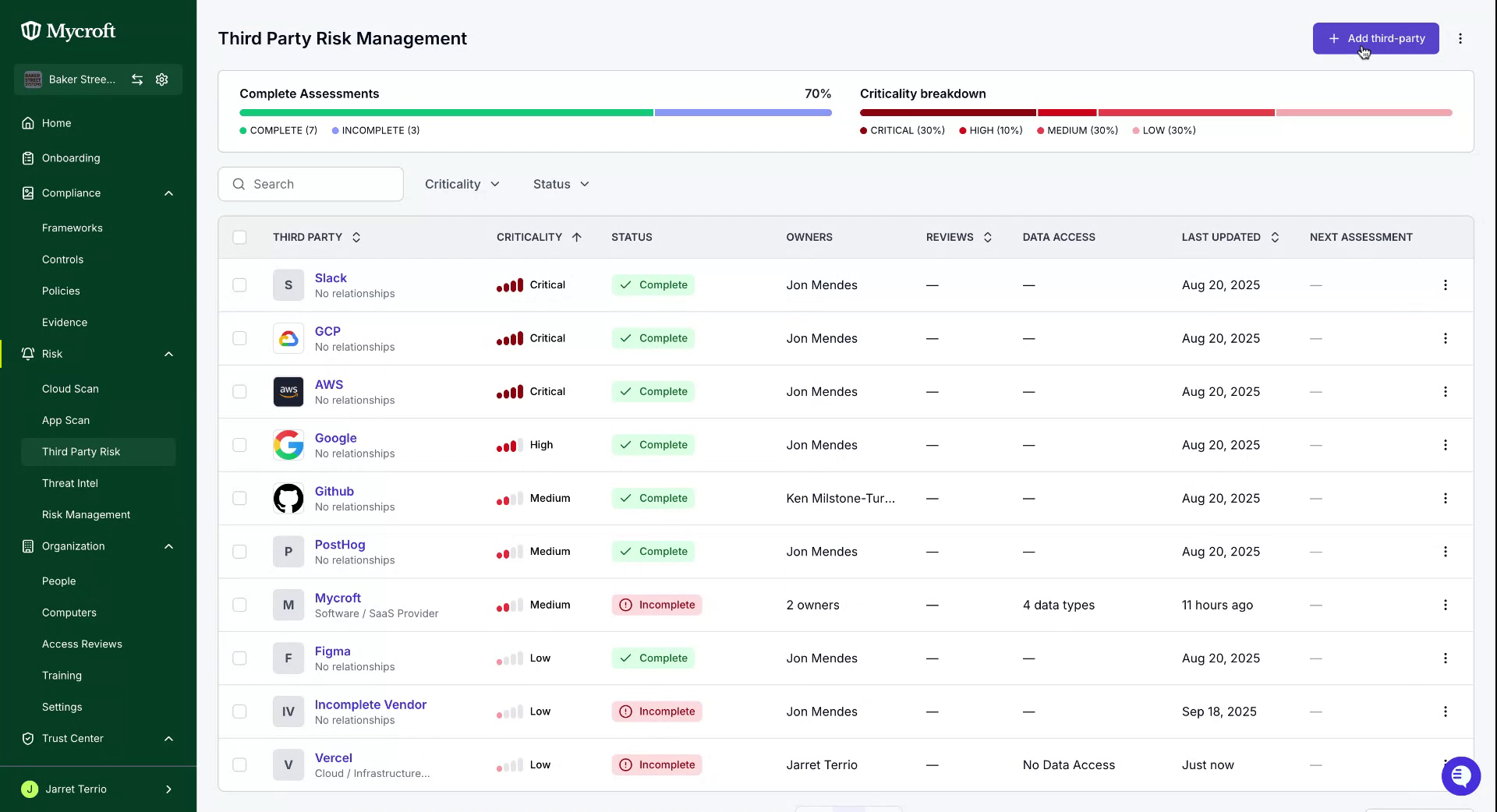
On the Third Party Risk page, locate the
Add third partybutton.Click the
Add third partybutton to open the vendor creation form.
Step 3
Entering Third Party Information
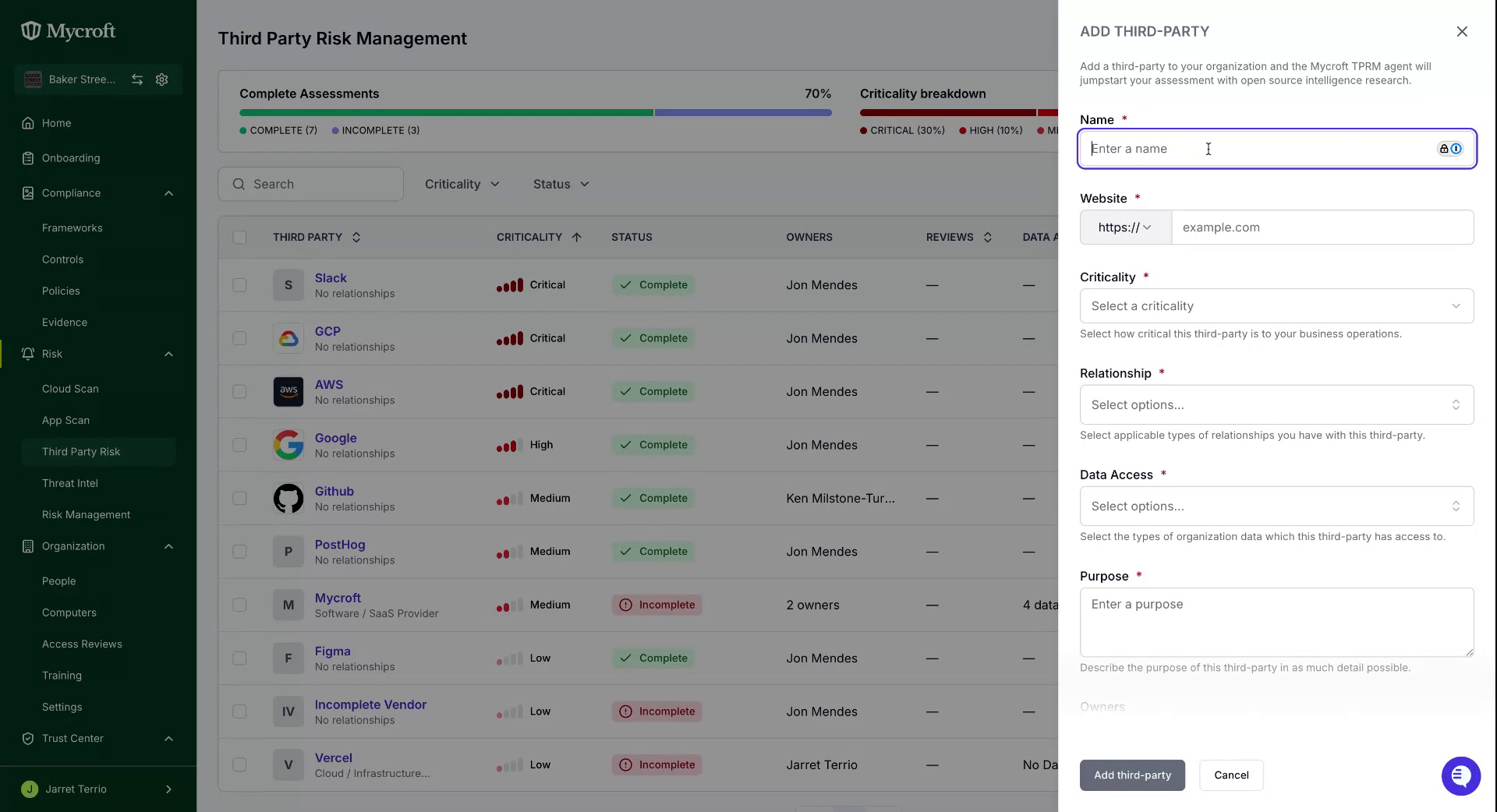
Enter the required vendor details:
In the
Namefield, add the third party's nameAdd the vendor's website in the
WebsitefieldClick the
Criticalitydropdown menu and select the appropriate criticality levelThe criticality level indicates the importance of this vendor to your operations. Read this article for more details.
Click the
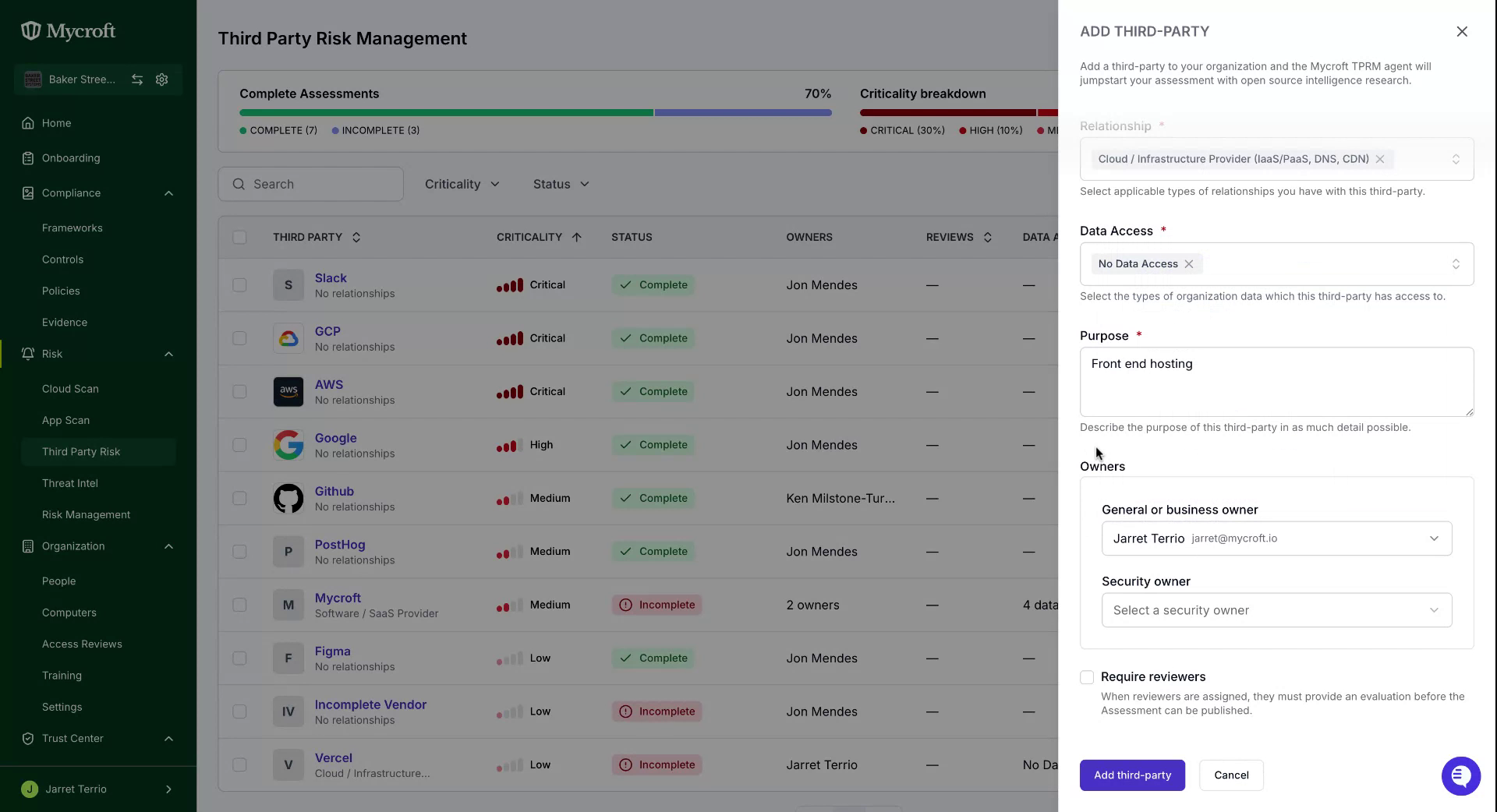
Relationshipdropdown menu and (multi) select the applicable relationship types with the third partyClick the
Data Accessdropdown menu and (multi) select the applicable data types the third party has access toIn the
Purposefield, fill in a description of the third-partyIn the
Ownerssection, add the applicable Business and Security owners from the list of available users. This step is optional, however owners need to be assigned to support the third party evaluation and assessment.Owners are the primary point of contact for vendor-related matters, including evaluations and third-party risk assessments.
Select the checkbox for
Require reviewersif owners were added.
Step 4
Upon completing all the fields, finalize the process by clicking the Add Third Party button located at the bottom left corner.
The system will process your request and add the new vendor to your vendor database.